
Improve Website Performance by Automatically Optimizing All Your Images for Any Device with Cloudimage

Image Optimization is, according to Lighthouse, one of the most common issues of poor website speed and performance. It is possible that unoptimized images are slowing down your page loading speed by more than 9 seconds, in some cases even more. Slow pages are leading to bigger bounce rate and lower SERP positioning, which in…
Shifat Jaman
Image Optimization is, according to Lighthouse, one of the most common issues of poor website speed and performance.
It is possible that unoptimized images are slowing down your page loading speed by more than 9 seconds, in some cases even more.
Slow pages are leading to bigger bounce rate and lower SERP positioning, which in return means less traffic and less paying customers.
What does image optimization include?

Optimization of all images on your website is a highly complex job, which requires expertise and quite a few hours to do it right.
Plugins can help save some time, but they can also break your whole website structure and permanently delete some of your media if not handled correctly.
To see why we consider this a complex job, here is a 20 points checklist of what Cloudimage considers essential for proper image optimization:
- Incorporate CDN delivery
- Optimize the TTFB
- Use 360-degree product view
- Make sure your images are responsive
- Correctly resize images
- Use the right image format
- Compress images
- Optimize alt attributes
- Caption the pictures clearly
- Take care of your product angles
- Know how to mix colors
- Create emotion fused visuals
- Use product corresponding backgrounds
- Optimise your thumbnails
- Use image sitemap
- Apply chroma subsampling
- Lazy-load non-critical images
- Deploy image spriting
- Start caching image assets
- Preload critical image assets
From a technical aspect, the most important points, from the list above, are resizing, format optimization, Lazy load, image compressing, responsiveness and CDN delivery.
If you have let’s say 11.000 images on your website.
How much time will it take to finish optimizing them?
Now imagine being able to do that automatically!
This is what Cloudimage does.
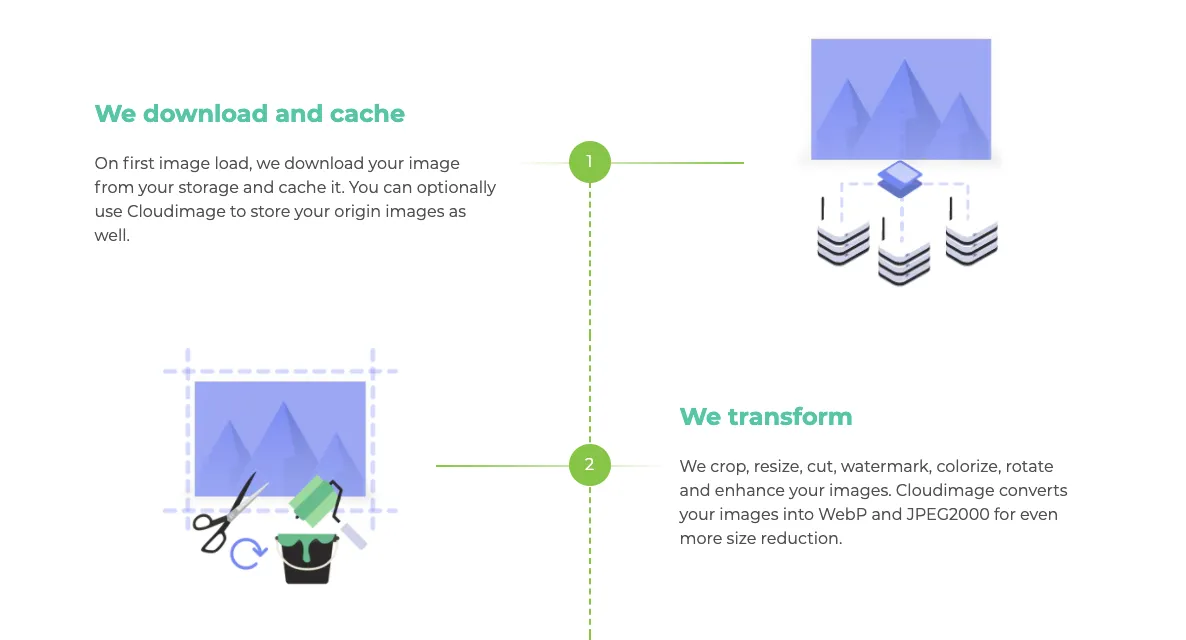
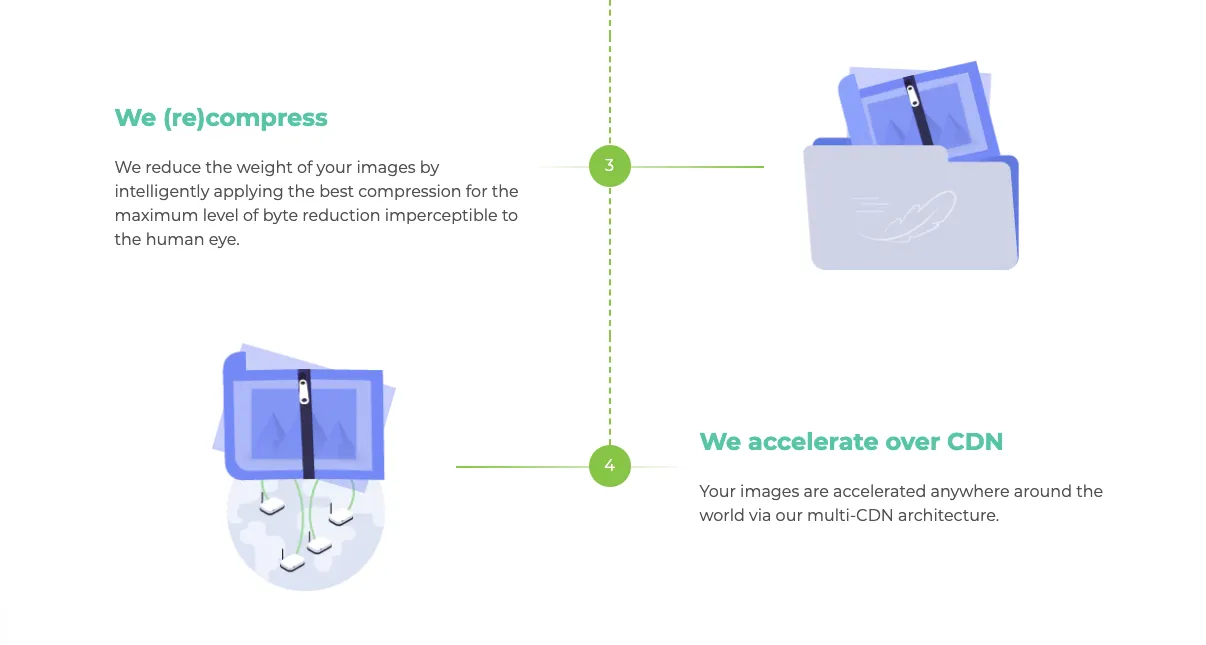
You can bulk upload all of the images via our software and they will automatically be cashed and uploaded to the cloud.
After that comes the optimization.
Image Resizing
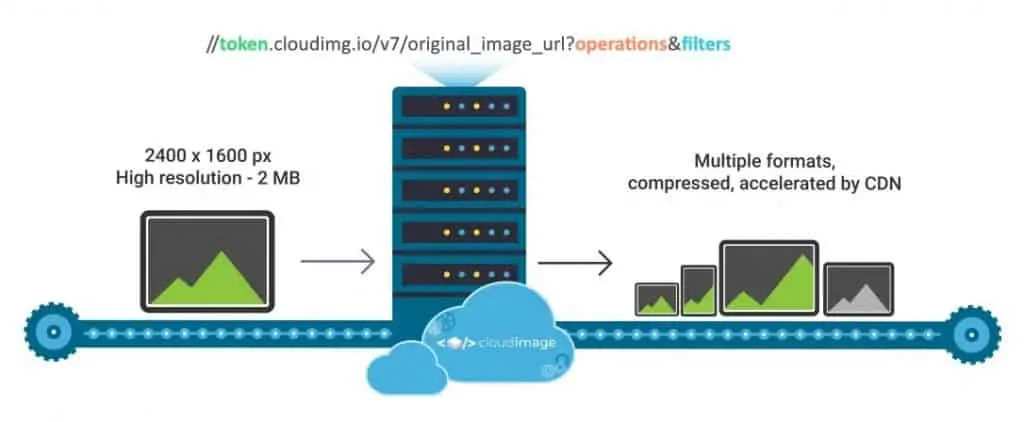
Cloudimage’s resizing servers, located in three data centers worldwide (Canada, France, and Singapore) will download your original image from origin_image_url, transform it based on the operation and filter parameters, and finally, display it on your website or mobile app through a rocket-fast CDN.
An example with an original image hosted on your web server, Amazon S3 bucket, or any other storage accessible over HTTP.
When you specify both width and height, original image proportions can be either ignored or maintained. Also, you may choose to add padding to the image. Cloudimage provides the following resize modes:
Crop
Keeps image proportions cutting the image to fit the defined width and height.
Fit
Resizes the image keeping proportions adding padding to satisfy the desired dimensions.
Bound
Tries to resize the image while keeping proportions. Similar to fit but without padding.
Cover
Resizes the image to the given width and height ignoring original image proportions.
Rotate
Rotates the image by a specified angle, counterclockwise
Trim
Removes a single-colour frame around the image.
Image compression
You can change the compression (output format and quality) of your image by using compression filters.
You can use the compression filters alongside resizing operations and image filters.
By default, Cloudimage delivers the images as WebP. If the format is not supported by the client browser, it falls back to JPEG or PNG.
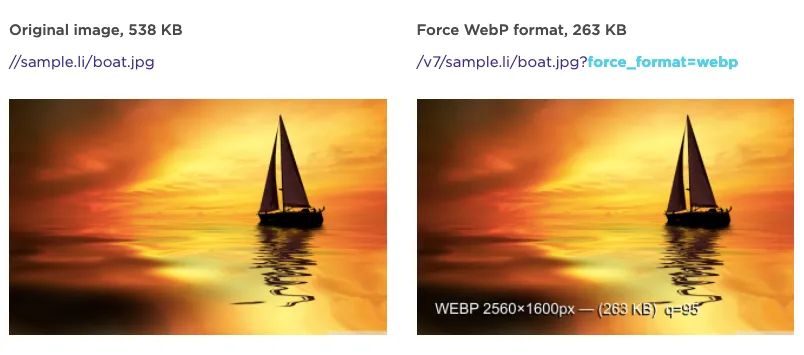
Optipress – Machine Learning based image compression
The main challenge with JPEG compression is to find the most optimal compression factor for each different image.
Different images compressed with the same compression parameters may result in different perceived quality.
Moreover, the same image in different sizes may require different compression strategies to achieve maximum size gain without visible quality loss.
To overcome this, we have developed the Optipress JPEG compression algorithm.
Optipress finds out the best JPG compression approach by analyzing specific image features and current compression parameters.
A Machine Learning model determines the best compression strategy for this image.
Quality is then evaluated based on a simulation model of the Human Visual System to achieve optimum compression without perceptive quality deterioration.
Transformation presets
If you wish to apply the same transformations on many images, you can define presets and apply transformations only using the preset name (X).
p=X
Any resizing transformation or image filter can be included in a preset, as well as watermarks and image compression parameters.
This enables the bulk optimization process which saves over 50% of image optimization time and can be done easily by anyone involved.
Responsive Images made easy
Responsive images adapt the image size according to the screen size of the end-user, thereby allowing your website or mobile app to load faster across various screen sizes.
The Cloudimage team has developed a JS plugin to automate everything for you.
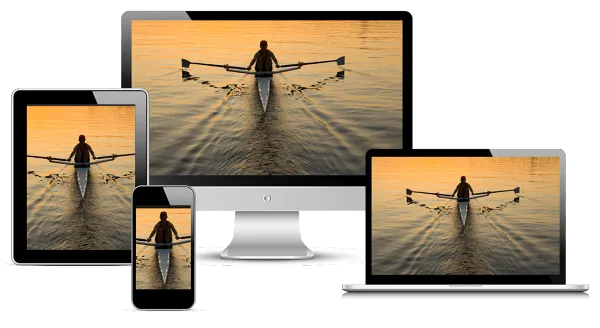 https://developers.google.com/web/fundamentals/design-and-ux/responsive/images
The Cloudimage JS lib will adapt all your URLs automatically and offers built-in Responsive Design, Lazyloading and many more features to make your website responsive, fast and add nice loading effects to your images.
With Lazy Loading and cache-enabled, you can be certain your website loading time will improve by at least 40%. Add CDN to that and the percentage goes up to even 60%.
Content Delivery Network
Cloudimage leverages Content Delivery Networks to accelerate the delivery of your images worldwide. We work with multiple CDN providers to optimize the delivery of your images and provide superb reliability.
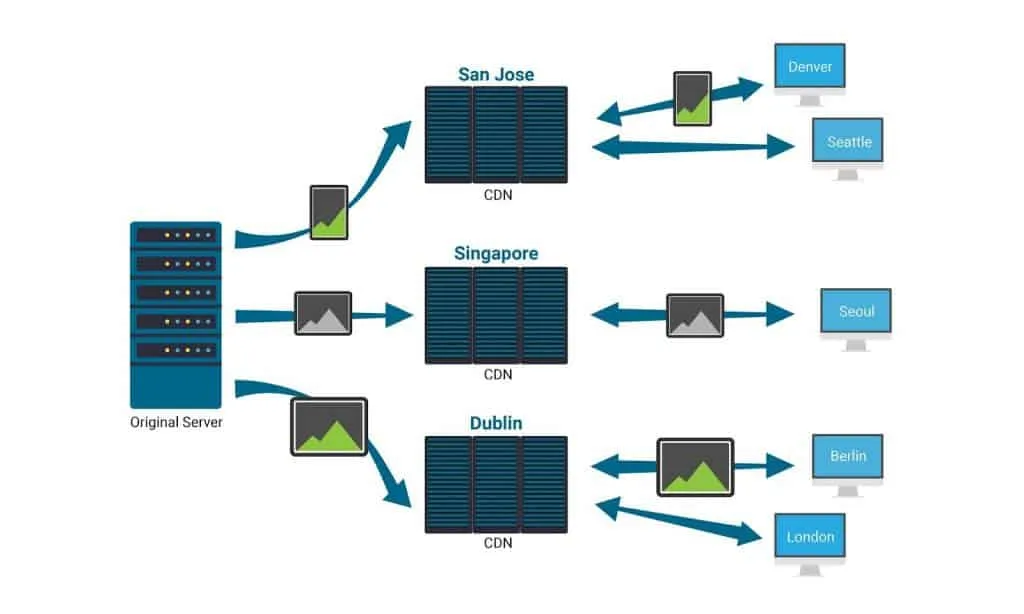
In addition to accelerating your images, the CDN provides DDoS (Distributed Denial of Service) protection, which will act as a shield to your servers and avoid any downtime.
CDNs usually cache images for as long as the images are requested by end users.
Implemented in minutes
What makes Cloudimage very unique, is that its services can be implemented very fast.
If your website is experiencing crazy traffic peaks, you can always reach out to cloudimage, optimize your images and be sure those peaks will be absorbed instantly.
This leaves you with flawless performance and fast page loading speed across various devices.
Moreover, the implementation is very easy and it makes the process of collaboration between teams (teams in charge of the website from content production to posting and monitoring) simple and efficient.
This is especially important when most of us are forced to use our home offices in the next period of time.
For more information on how the Cloudimage services work visit us at cloudimage.io
Written by
Shifat Jaman
April 22, 2020
Contributor at ThemesGrove, sharing practical WordPress, WooCommerce, and web design insights.
Related reading

TIPS & TRICKS
How to Turn Public Data into a Revenue-Generating Directory Website for Under $30
Discover how directory websites can become profitable online businesses. Learn two proven directory models you can build with WordPress using publicly available data and affordable tools.

TIPS & TRICKS
Introducing Advanced Tab for WidgetKit to Present Your Content in an Organized Way
Do you ever wonder why your website losing hundreds or thousands of visitors? Research Shows website design has a 75% influence on a website’s credibility, and here having unorganized content can hurt your website design so badly. The sole purpose of your website should be attracting customers, encouraging them to interact with the content, and…

TIPS & TRICKS
Webflow vs WordPress: Which is better for your website?
Are you trying to decide between Webflow and WordPress for your new website? Maybe you’re feeling overwhelmed by the endless options and don’t know where to start. Don’t worry; we’ve all been there. In this article, we’ll compare Webflow vs WordPress head to head, covering their pros and cons, features, and pricing, and help you…