
Splash Page vs Landing Page: Which One You Should Use?
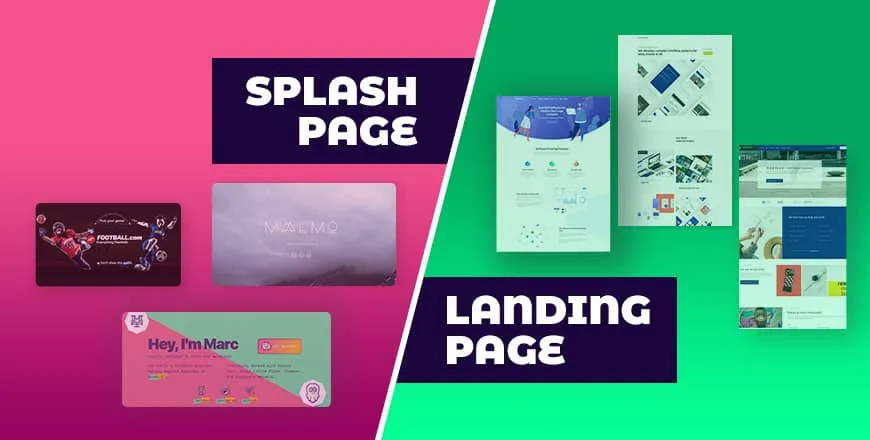
If you are working in any institute like website development company, then it’s a common question ‘You want to educate yourself on Splash page vs landing pages? It’s something you will need to know to avoid the awkward silence when anyone asks you. Just kidding, if you say ‘splash page’ when you actually mean ‘landing…
Parvez Akther
If you are working in any institute like website development company, then it’s a common question ‘You want to educate yourself on Splash page vs landing pages? It’s something you will need to know to avoid the awkward silence when anyone asks you.
Just kidding, if you say ‘splash page’ when you actually mean ‘landing page’, no one will probably notice or care. But its good to know about the splash page vs landing page as both is not the same and there are a lot of types of pages like – home page, about-us page, landing page, squeeze page, service page, coming soon landing page, contact page, pricing page, etc.
After finish reading this post eventually, you will be able to create a splash page or landing page for you. So let’s start.
Difference Between Splash Page vs Landing Page
These two are different kinds of pages but both of them different purposes and very important for your website. Let’s check the splash page vs landing page difference from below.
| Splash Page | Landing Page |
| Most of the time it’s a short page. | It might be a long or short page. |
| It’s not necessarily a standalone page. | It is a standalone page. |
| A splash page can be created in a few minutes. | Creating a landing page takes more time rather than creating a splash page. |
| A Splash page may convey preliminary messages. | A Landing page comes with whole details. |
What is a Landing Page
A landing page is a certain type of page, where your visitors land while thy follow a specific link. It can be any of your product page or your home page. Most of the time, landing pages are used to educate visitors regarding specific services or products.
Why Landing Page is Necessary
To make a profit from a product or service, you require a landing page. Besides landing page helps you make more profit and helps increase the number of customers. It makes a bond of trust with your visitors and encourages your visitors to make a purchase from your site.
Now you might start thinking that landing pages are necessary if you have business only, but actually, it’s not true. You can also educate your visitors with the help of landing pages. If you don’t know how to make a lead or generate traffic, then the landing page can be your great ally.
How to Create a Landing Page Within Minutes
There are tons of WordPress landing page builders available on the internet, but if you want to finish in the quickest time, there is no option rather than WPOnepager. It comes with a lot of pro and free landing page templates and blocks.
Which is why I am using it here.
- At first download and install WPOnepager on your WordPress site.
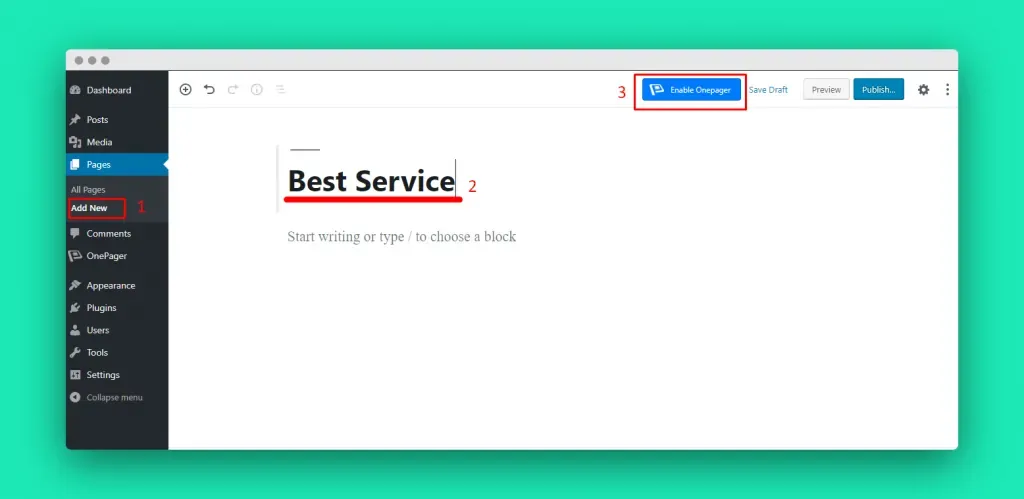
- Add a new page and give a title to it.
- Click the ‘Enable’ button.
- From the left bar click ‘Add Block’
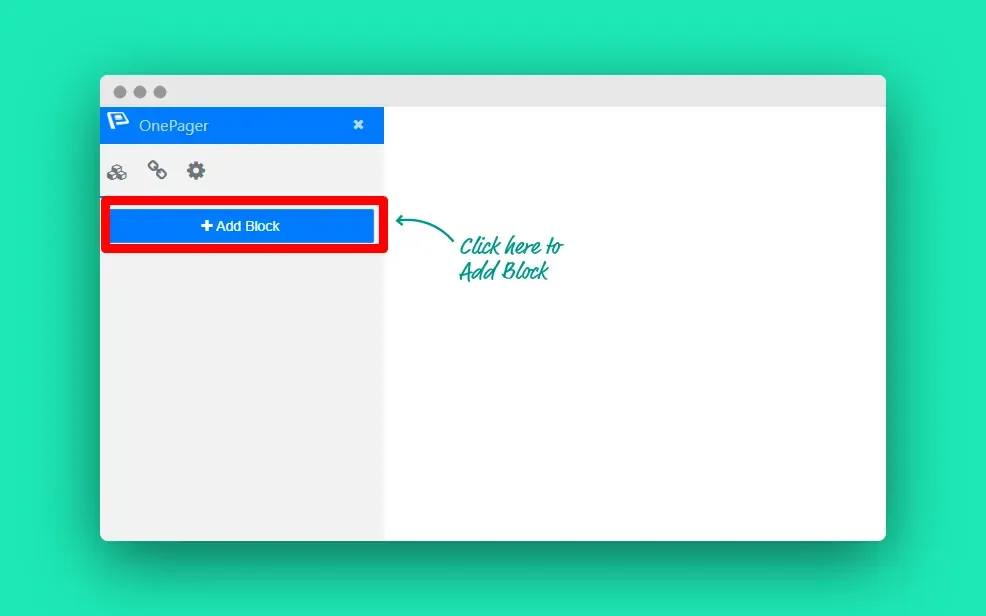
There is every type of blocks available in WPOnepager.
- Now choose the category and insert your required blocks one after another.
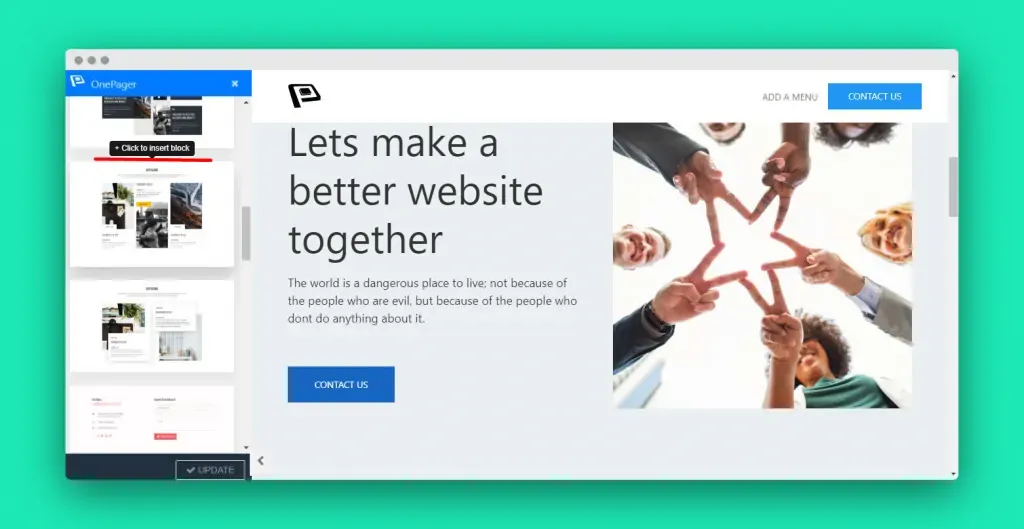
- Click the edit button to change the content of a block.
- As soon as you finish changing content, your landing page is ready.
If you still could not figure it out, check the video below.
What is a Splash Page?
A splash page is a certain type of page that visitors see first before any other pages. These are full-screen pages or introductory pages that greet visitors with a welcome screen, rather than directly entering the content of the website.
Why Splash Page is Necessary?
A landing page is a kind of standalone page that is created to fulfill a conversion goal. On the other hand, a splash page is a screen that pops up before any visitor enters the site. It’s not a usual page, it is your virtual business card.
A splash page can deliver important information like an upcoming event or promotion. This page can even evoke a sense of mystery or exclusivity. In short splash page is your doorman, which leads visitors in the right direction.
How to Create a Splash Page in Minutes
To create a splash page, you can either hire a person to do it for you or you can create one in minutes by yourself. There are some popular website builders that allow you to create splash pages, these are – Instapage, Strikingly, Splash, Wix.
I prefer using Strikingly as my builder. Here is the process –
- At the very beginning, sign up a free account from here.
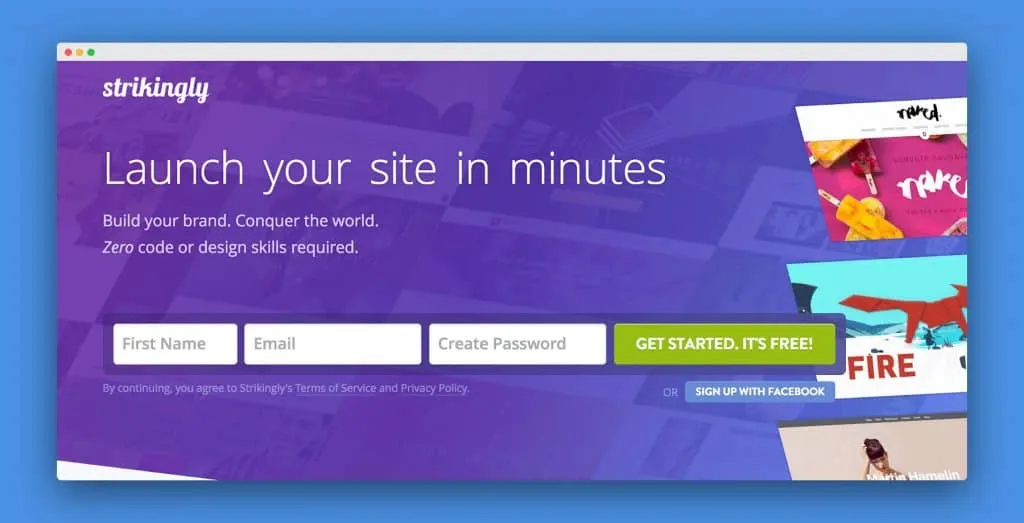
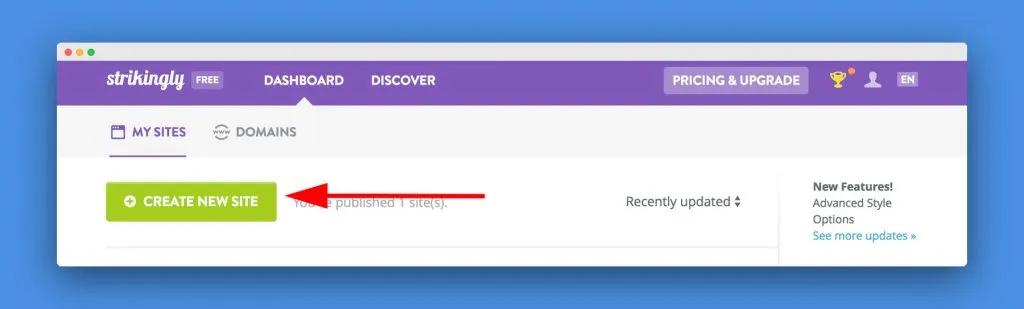
- Click on the ‘Create New Site’ button.
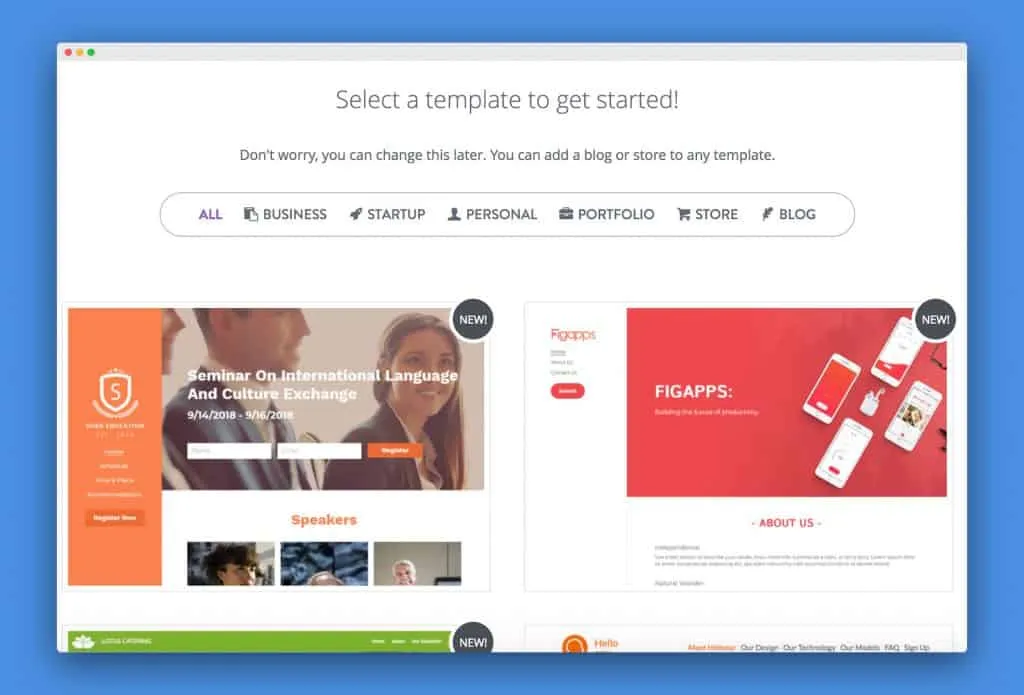
- Select a suitable template, I am choosing ‘Splash’ template.
- Now, within your template, click the green-colored ‘Add New Section’ button.
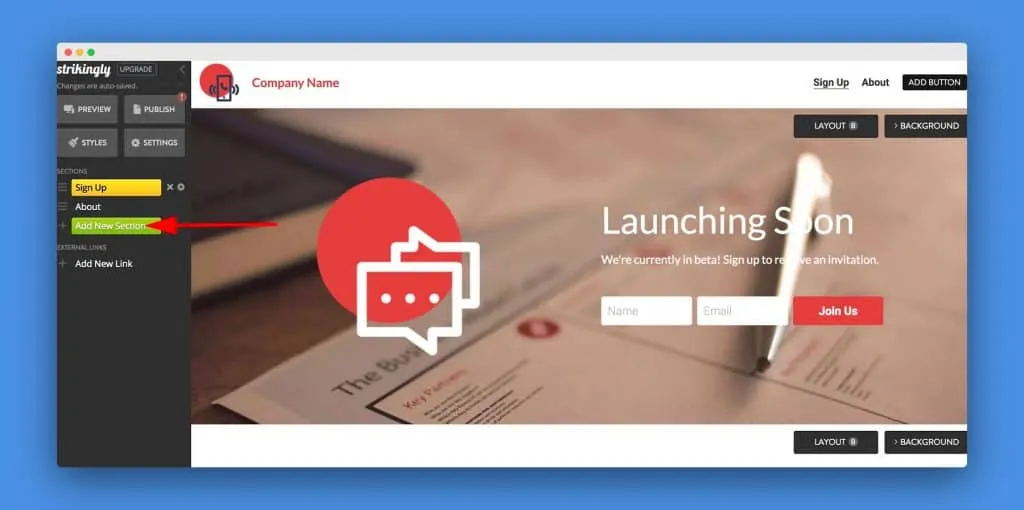
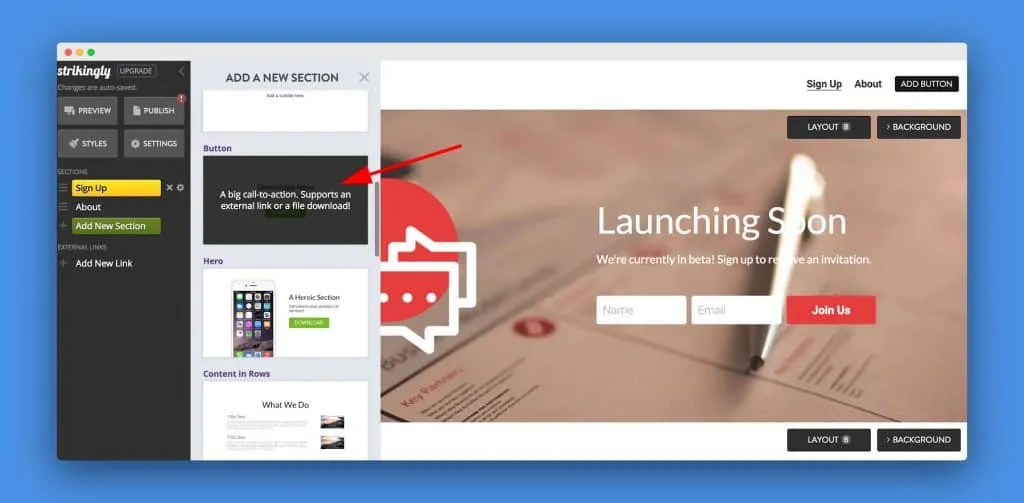
- Scroll through ‘Add A New Section’ options then click ‘Button’.
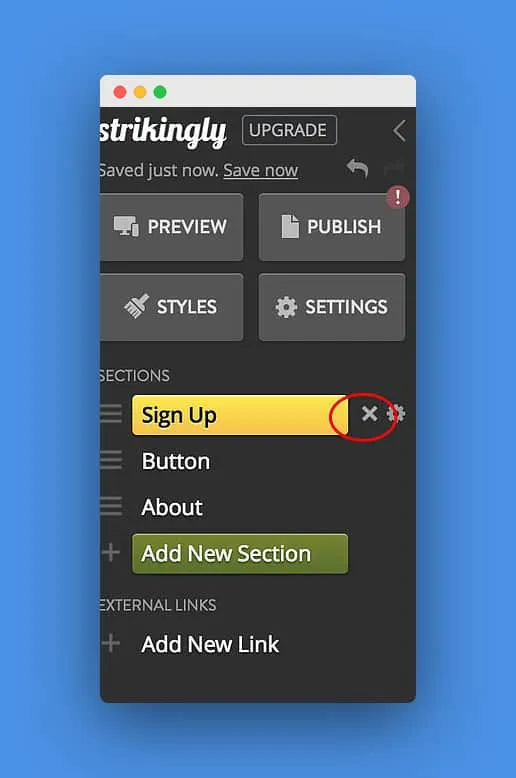
- Click the ‘x’ (cross) beside your other web pages to delete them and make sure you have only a button left.
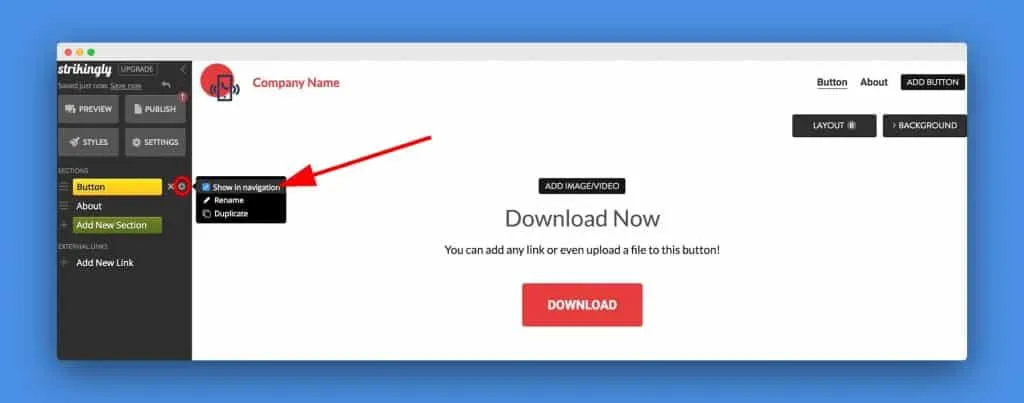
- Click on the setting icon beside ‘Button’, and un-check ‘Show in navigation’.
- Now edit the button by clicking it.
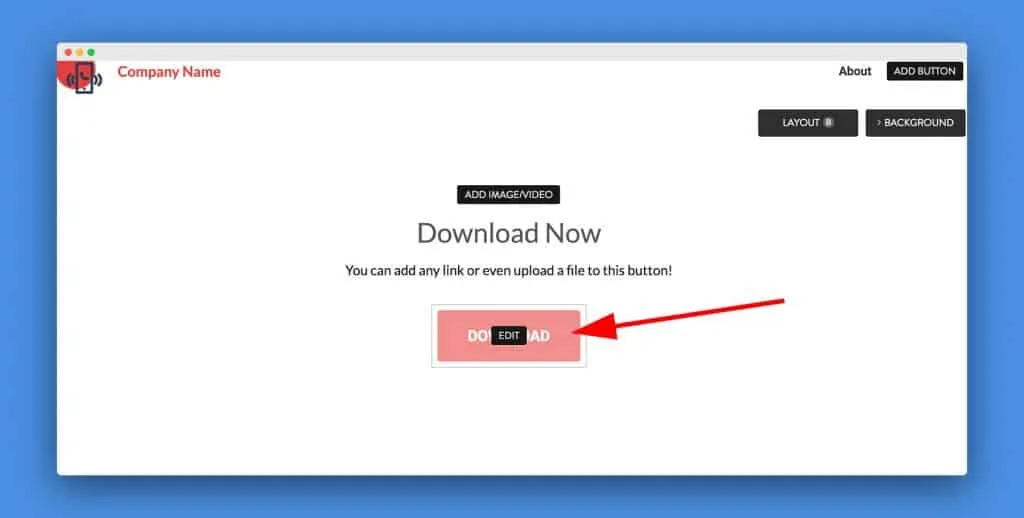
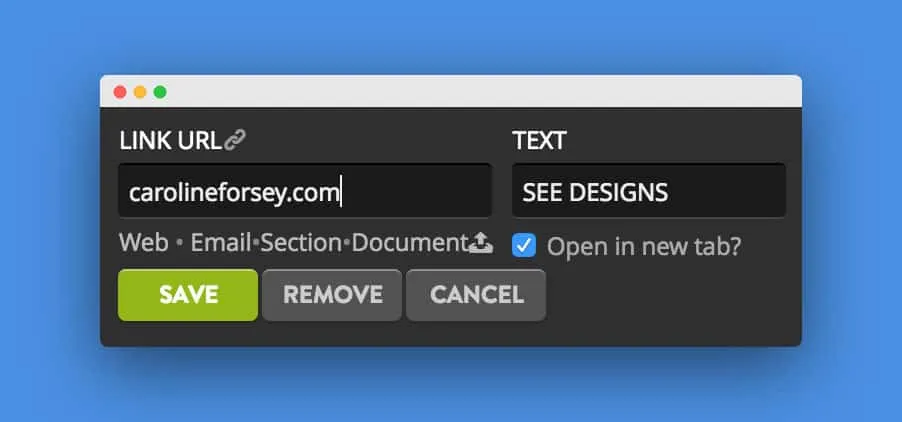
- Paste a URL in the ‘Link URL’ box and then include text for the button. This is your splash page command.
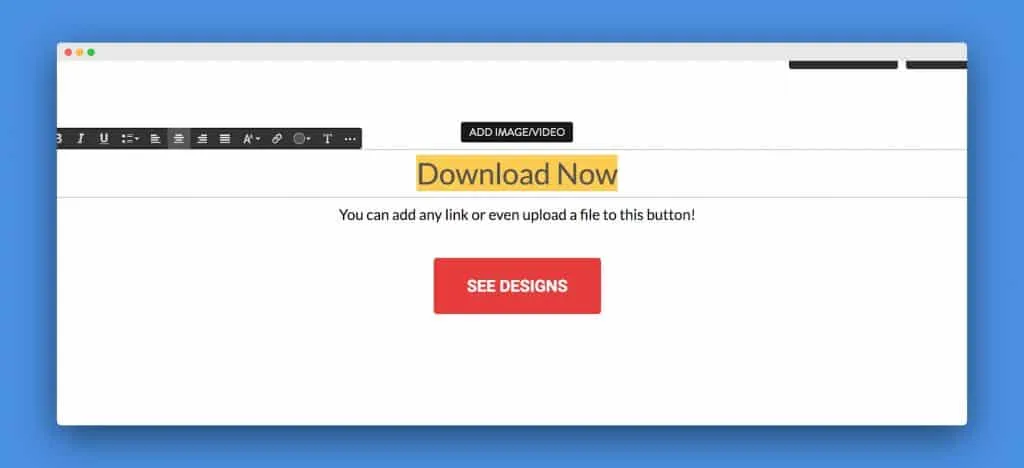
- Then change your text to reflect whatever you want to say. I want my splash page to say ‘Caroline’s Portfolio’.
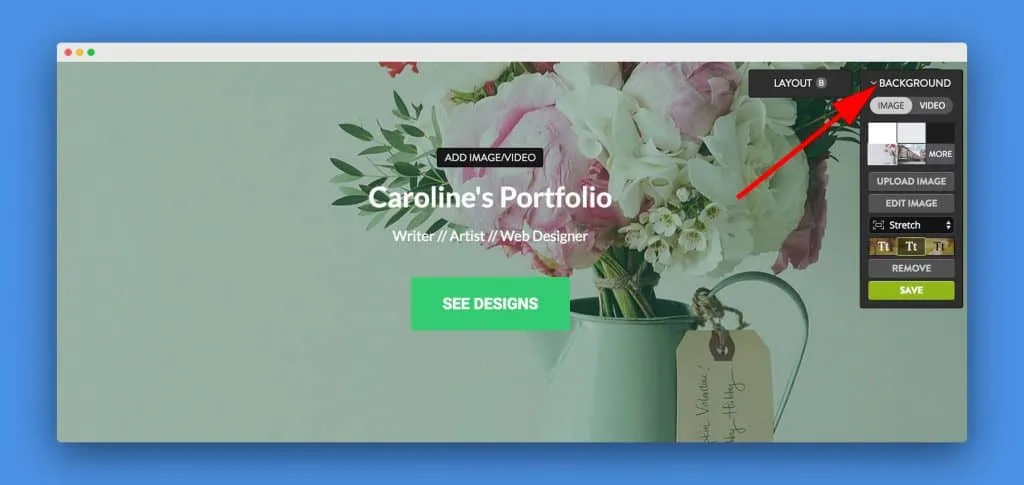
- Now you don’t like the background you can change it by clicking ‘Background’ in the top right.
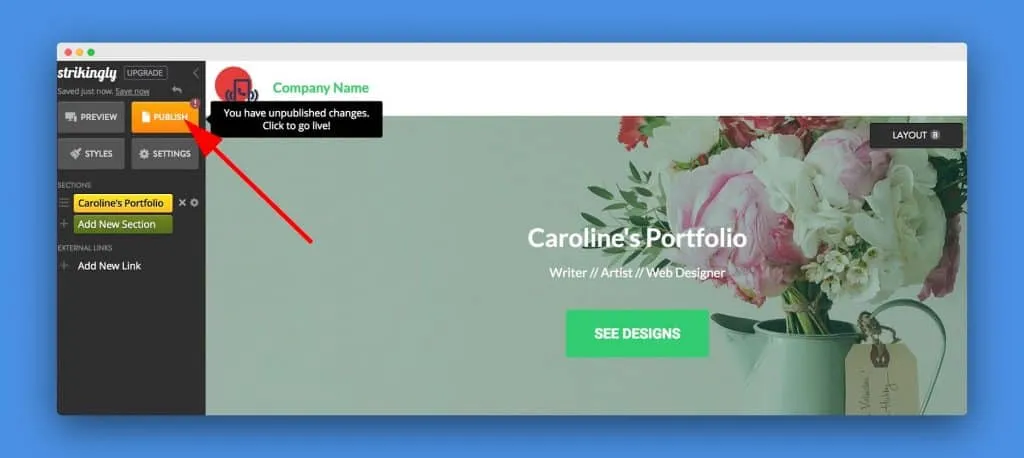
- When you think your design is ready, click the ‘Publish’ button from top left.
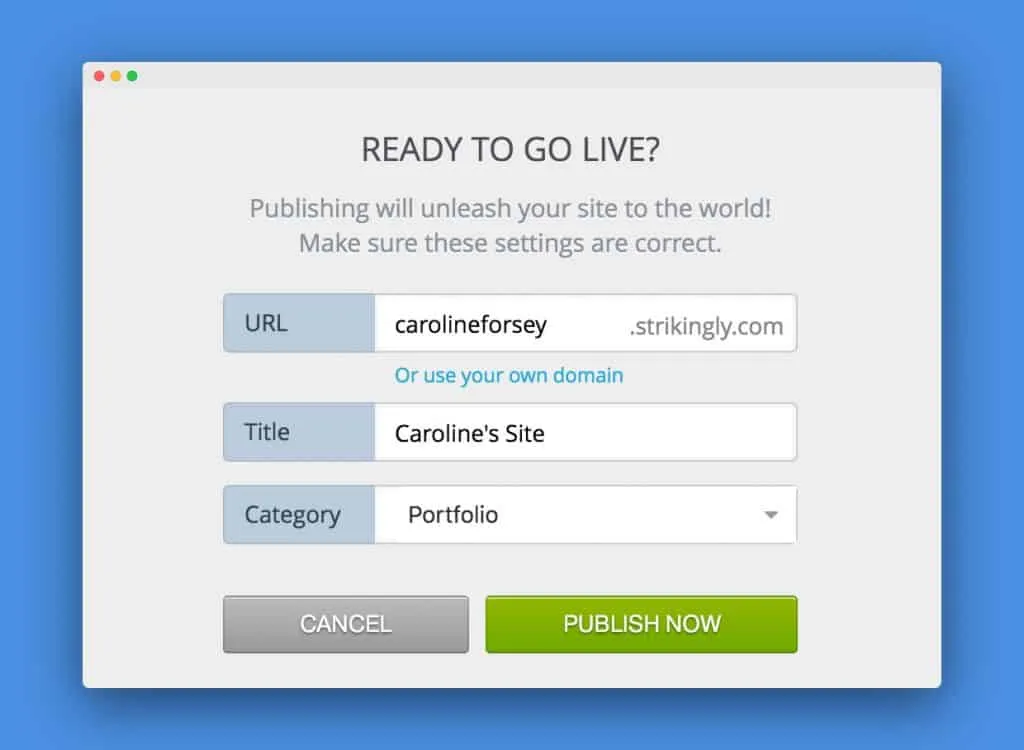
- Include a URL for your splash page and click on ’Publish Now’.
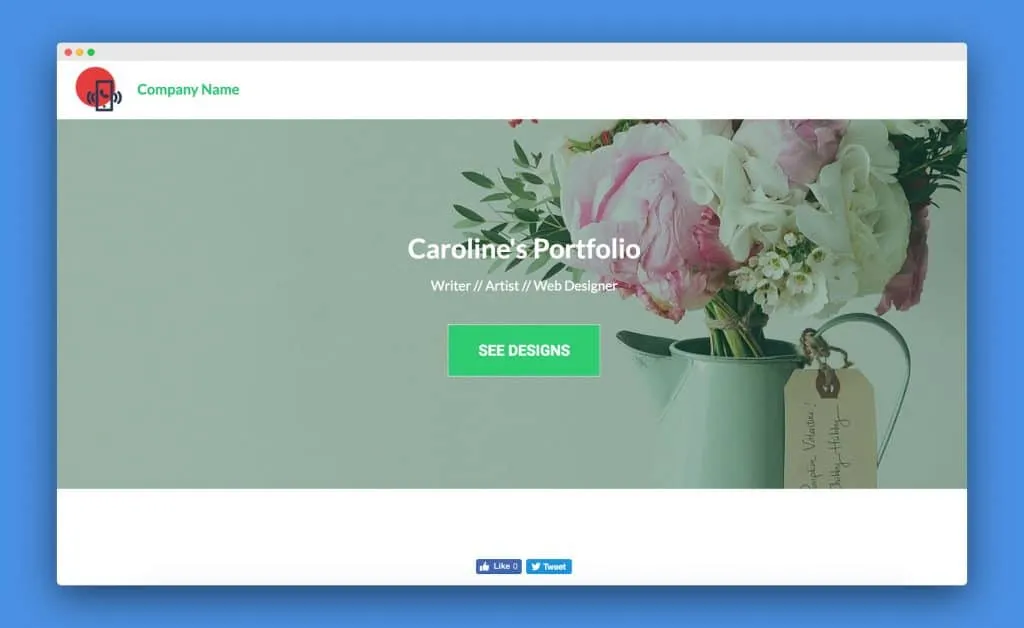
- Congrats! You have created a splash page by yourself.
Last Words
I hope now you know the details about the ‘splash page vs landing page’. If you have any queries regarding the ‘splash page vs landing page’, ask through the comment box. I will be happy to give a reply.
Written by
Parvez
September 19, 2019
Founder of ThemesGrove and a tech veteran with deep experience across WordPress, products, and web platforms.
Related reading
TIPS & TRICKS
How to Turn Public Data into a Revenue-Generating Directory Website for Under $30
Discover how directory websites can become profitable online businesses. Learn two proven directory models you can build with WordPress using publicly available data and affordable tools.
TIPS & TRICKS
Introducing Advanced Tab for WidgetKit to Present Your Content in an Organized Way
Do you ever wonder why your website losing hundreds or thousands of visitors? Research Shows website design has a 75% influence on a website’s credibility, and here having unorganized content can hurt your website design so badly. The sole purpose of your website should be attracting customers, encouraging them to interact with the content, and…
TIPS & TRICKS
Webflow vs WordPress: Which is better for your website?
Are you trying to decide between Webflow and WordPress for your new website? Maybe you’re feeling overwhelmed by the endless options and don’t know where to start. Don’t worry; we’ve all been there. In this article, we’ll compare Webflow vs WordPress head to head, covering their pros and cons, features, and pricing, and help you…