
13 Best Chrome Extensions for Web Developers
Most web developers use Chrome as their primary browser. Chrome itself is a multi-purpose productive tool; however, with the integration of the third-party extension, you can boost your productivity even higher. Keeping that in mind, here we brought out 13 best Chrome extensions for web developers that are purposely built with exciting features and, of…
Shifat Jaman
Most web developers use Chrome as their primary browser. Chrome itself is a multi-purpose productive tool; however, with the integration of the third-party extension, you can boost your productivity even higher.
Keeping that in mind, here we brought out 13 best Chrome extensions for web developers that are purposely built with exciting features and, of course, to make web design development more manageable.
Read Also: 11 Best Chrome Extensions for Productivity
The Great Suspender
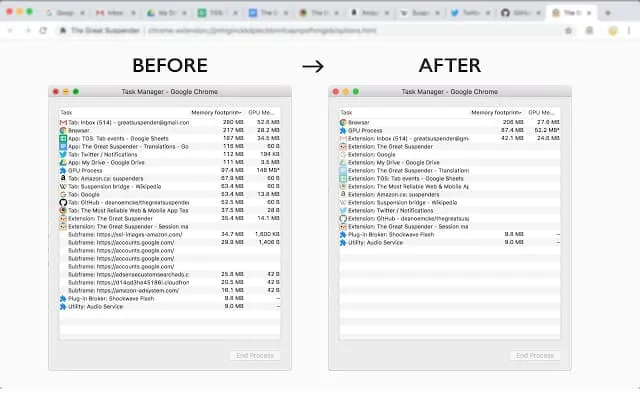
The Great Suspender is a lightweight and unique Chrome extensions for web developers. To keep your work as well as your computer running smoothly, It suspends the tabs that you aren’t using in a set of time. Also, it detects tabs that play audio, and prevent them from suspending to reduce chrome’s memory footprint.
Average Rating: 4.4 out of 5 (4,454 user rating).
Active User: 1,000,000+ users.
[
Get The Great Suspender
Session Buddy
Session Buddy is one of the best Chrome extensions for developers that maintain your open tabs from the chrome web store and helps you tomanages your browser tabs and bookmarks them with Ease. You can save the open tabs, restore them later, free up memory to avoid clutter, recover open tabs,and many more things with the extension.
Average Rating: 4.8 out of 5 (24,295 user rating).
Active User: 800,000+ users.
[
Get Session Buddy
](https://chrome.google.com/webstore/detail/session-buddy/edacconmaakjimmfgnblocblbcdcpbko?hl=en-GB)
PerfectPixel
PerfectPixel Chrome extensions for web developers help you to develop your websites with pixel-perfect accuracy. A perfect tool for developers as well as designers that allows them to put a semi-transparent image overlay over the top of the developed HTML and perform a pixel-perfect comparison between them. You can get multiple overlays to support, inversion, and scaling support also, drag and drop support.
Average Rating: 4.5 out of 5 (568 user rating).
Active User: 200,000+ users.
[
Get Perfect Pixel
Web Developer
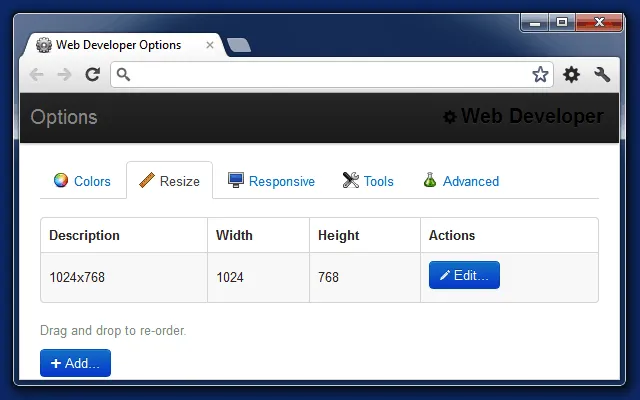
The web developer is a simple Chrome extensions for developers that adds a little toolbar with different tools available. The original concept of this Chrome extension came from the PNH Developer Toolbar. For day to day work, you can easily add outlines to elements just by clicking, displaying rulers, finding all broken images on a page, and lots more.
Average Rating: 4.5 out of 5 (3,444 user rating).
Active User: 1,000,000+ users.
[
Get Web Developer
](https://chrome.google.com/webstore/detail/web-developer/bfbameneiokkgbdmiekhjnmfkcnldhhm?hl=en-GB)
ColorZilla
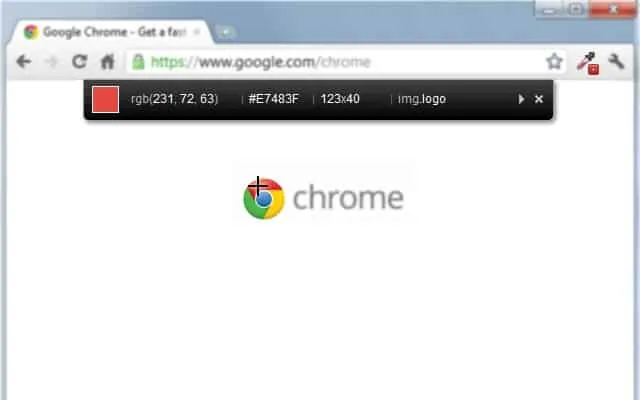
ColorZilla Chrome extensions for developers is an advanced eyedropper, color Picker as well as a gradient generator. It is one of the most popular Firefox developer extensions with over 5 million downloads and is finally available for Chrome now. You can easily get color reading, quickly adjust this color and paste it into another program.
Average Rating: 4.4 out of 5 (2,630 user rating).
Active User: 2,000,000+ users.
[
Get ColorZilla
](https://chrome.google.com/webstore/detail/colorzilla/bhlhnicpbhignbdhedgjhgdocnmhomnp?hl=en)
Edit This Cookie

EditThisCookie is the first and the most popular cookie editor for chrome. With the Chrome extensions for developers you can edit new cookies, create new cookies, import or export cookies, and prevent cookies from being created. You can even search cookies, protect cookies, block cookies, export/import cookies in JSON, and many more.
Average Rating: 4.4 out of 5 (11,263 user rating).
Active User: 2,000,000+ users.
[
Get Edit This Cookie
](https://chrome.google.com/webstore/detail/editthiscookie/fngmhnnpilhplaeedifhccceomclgfbg?hl=en-GB)
Check My Link
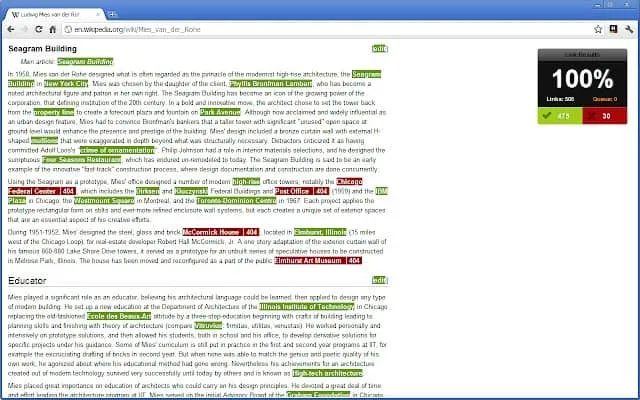
For link check Check My Links is the best Chrome extensions for web developers. The extension checks the link that crawls through your website and looks for broken links. It finds all the links on a web page and checks each one for you; also, allows you to copy all wrong links with just one click. From designer to the web developer, it works perfectly for both.
Average Rating: 4.1 out of 5 (437 user rating).
Active User: 100,000+ users.
[
Get Check My Link
](https://chrome.google.com/webstore/detail/check-my-links/ojkcdipcgfaekbeaelaapakgnjflfglf?hl=en-GB)
Window Resizer
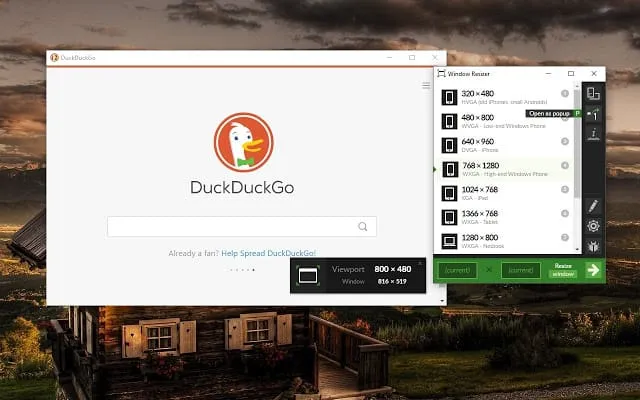
Window Resizer Chrome extensions for web developers can resize the browser’s window to emulate various resolutions. Developers can use it for testing the layouts on different browser resolutions. You can add, delete, and re-order the resolution because the resolutions list is completely customizable. You can also set the window’s width, height, and position.
Average Rating: 4.3 out of 5 (2,529 user rating).
Active User: 600,000+ users.
[
Get Window Resizer
](https://chrome.google.com/webstore/detail/window-resizer/kkelicaakdanhinjdeammmilcgefonfh?hl=en-GB)
WhatFont
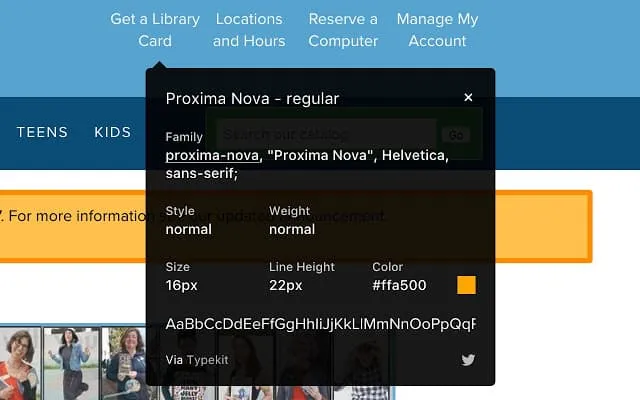
WhatFont is the easiest way to find out the fonts used in a webpage. This Chrome extensions for developers is so simple and elegant; therefore, you can quickly inspect web fonts by just hovering on them. This extension supports Typekit and Google Font API, and also detects the services used for serving the web fonts.
Average Rating: 4.1 out of 5 (1,814 user ratings).
Active User: 1,000,000+ users.
[
Get WhatFont
](https://chrome.google.com/webstore/detail/whatfont/jabopobgcpjmedljpbcaablpmlmfcogm?hl=en-GB)
Wappalyzer
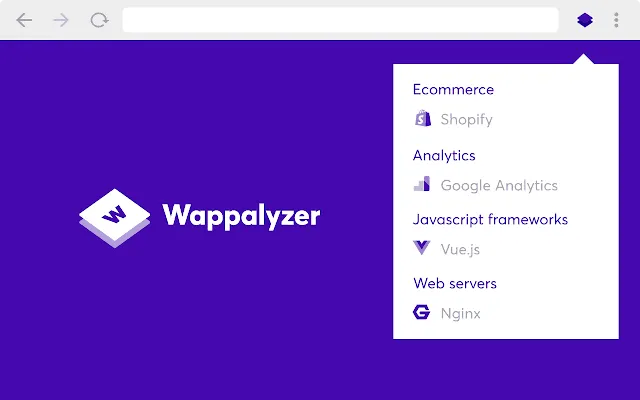
The Wappalyzer is another excellent Chrome extensions for web developers that uncover the software that is installed on any particular website. It can detect tools that are mainly used for content management systems, eCommerce platforms, web servers, JavaScript frameworks, and installed analytics tools like google analytics.
Average Rating: 4.6 out of 5 (1,758 user rating).
Active User: 1,000,000+ users.
[
Get Wappalyzer
](https://chrome.google.com/webstore/detail/wappalyzer/gppongmhjkpfnbhagpmjfkannfbllamg?hl=en-GB)
Clear Cache
Clear Cache Chrome extensions for web developers lets you clear your cache and browsing data with a single click. It is simple, fast, and effortless to use, that you can quickly clear your cache with this extension within a matter of time. You can also decide how much data you want to clear including cache, cookies, history and downloads.
Average Rating: 4.5 out of 5 (1,044 user rating).
Active User: 700,000+ users.
[
Get Clear Cache
](https://chrome.google.com/webstore/detail/clear-cache/cppjkneekbjaeellbfkmgnhonkkjfpdn?hl=en-GB)
Octotree
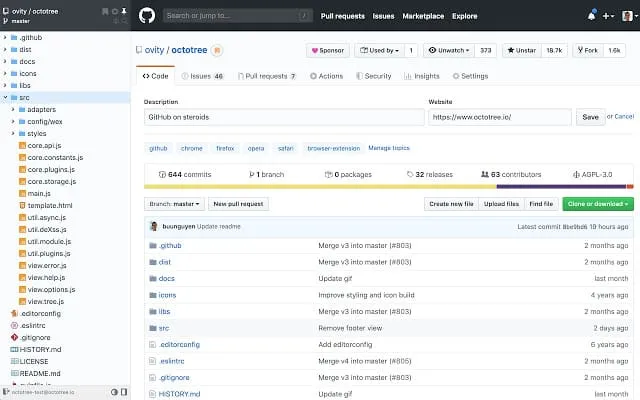
Octotree is a real developer extension that brings GitHub on steroids. It provides an easy to navigate code tree, just like in IDEs so that your GitHub experience will reach to the next level with Octotree for sure. The Google Chrome extension stores access tokens in your browser local storage and uses them only to authenticate with GitHub.
Average Rating: 4.9 out of 5 (1,095 user rating).
Active User: 200,000+ users.
[
Get Octotree
](https://chrome.google.com/webstore/detail/octotree/bkhaagjahfmjljalopjnoealnfndnagc?hl=en-GB)
Full Page Screen Capture
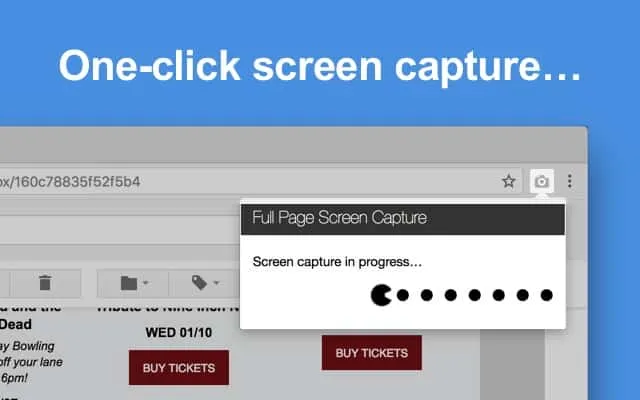
Another best Chrome extensions for web developers for full-page screen capture. Easily capture a screenshot of your current page entirety or partially. Without requesting any extra permissions with the Full Page Screen Capture Google Chrome extension. Just click on the extension icon, watch the extension capture each part of the page, and then save it.
Average Rating: 4.9 out of 5 (42,956 user ratings).
Active User: 3,000,000+ users.
[
Full Page Screen Capture
Wrapping Up
This was the list of best Chrome extensions for designers and web developers. Each of these extensions are well trusted and extremely useful. Which one did you use or decide to use after reading this article? Let me know in the comment sections below.
Written by
Shifat Jaman
April 12, 2020
Contributor at ThemesGrove, sharing practical WordPress, WooCommerce, and web design insights.
Related reading

NEWS & UPDATES
WidgetKit for Elementor Is Now 100% Free
We've made WidgetKit for Elementor completely free. All 55+ widgets — including the LMS and WooCommerce elements and 20+ ready templates — are now yours at no cost, with no Pro tier and nothing locked away.

NEWS & UPDATES
HelpGent: Reimagining Modern Communication System with WordPress Using HelpGent
Technology has made it easier to communicate with each other, but it has lost its meaning over time. While it has become more accessible, it has also become less personal, leading to a lack of human touch in our interactions. With HelpGent, you can bridge the gap between technology and personalized communication. This powerful tool…

NEWS & UPDATES
Themesgrove is Celebrating 20 Years of WordPress!
In May 2003, a revolutionary platform was born that would transform the way we create and manage websites. WordPress, the brainchild of Matt Mullenweg and Mike Little, has come a long way since its humble beginnings. Over the past two decades, WordPress has grown from a simple blogging platform to the world’s leading content management…