
Introducing WPOnepager 2.2.2 – Three New Free Blocks and Header Type Selection Feature Added
We are dedicated to making WPOnepager unstoppable and useful to our users. Therefore with every update, we try to bring something new that will help you develop better and faster. Our motto is to provide you the ultimate page builder that will allow you to develop instantly and without any hassle. For this reason, we…
Parvez Akther
We are dedicated to making WPOnepager unstoppable and useful to our users. Therefore with every update, we try to bring something new that will help you develop better and faster. Our motto is to provide you the ultimate page builder that will allow you to develop instantly and without any hassle.
For this reason, we are working hard so that you can save both your time and money. In WPOnepager 2.2.2, we have released three new blocks along with a new feature. Hope these blocks and the new feature will be very useful to you.
Let’s dig into details.
New Feature and Blocks
Heading Type Selection

The heading is a very important feature both for blogs and SEO. Whenever you give a heading to your writing, it is automatically converted to HTML heading tags. Your heading 1 is converted to <h1> tag.
Google and other popular search engines give priority to headings in sorted order. Heading 1 is more important than heading 2, heading 2 is more important than heading 3 and so on. If all headings of your site are same, you will lose the heading SEO value for your site.
In WPOnepager, we have added heading type selection feature in every block. Therefore you will be able to control the priority, that Google gives to each site according to heading.
Three New Free Blocks
With WPOnepager 2.2.2 three free blocks for the blog category, has been introduced. These blocks will give you a whole new different look to your blog.
Blog 1
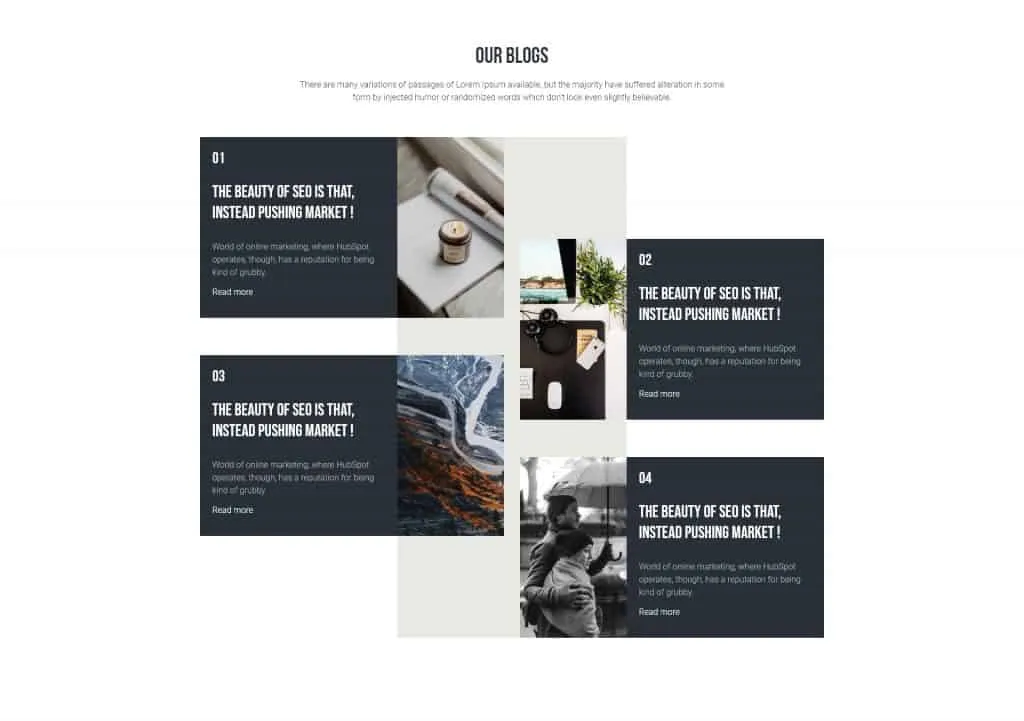
Blog 1 shows the blocks in a grid layout but in a new way. The blogs you want to show to your client won’t show directly side by side, but a little bit vertically moved. This will make your blogs look attracting, and it will create interest to your client to read the content.
Load the blogs dynamically from any category you want.
Blog 2
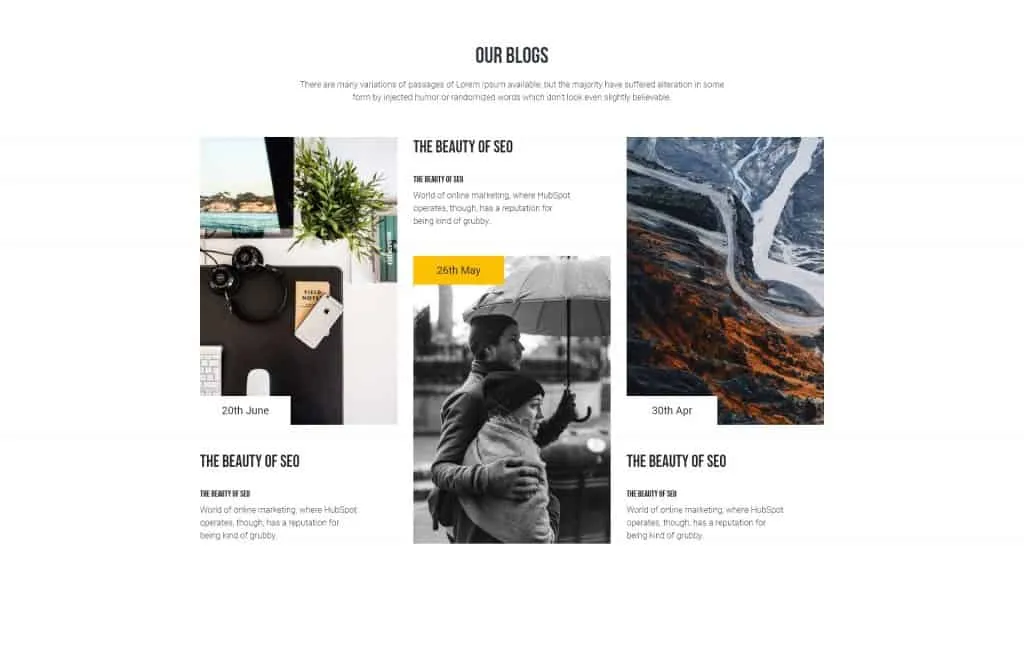
Focus the spotlight on your blogs with the Blog 2 layout of WPOnepager. Posts are placed horizontally in the block with cover images in up and down. I am sure before you read a post, you take a look at the view of it. If the view is not attracting you just ignore the post though it might be useful.
Blog 2 layout will help your blog look interesting to its readers, and they will be hypnotized to read it.
Blog 3
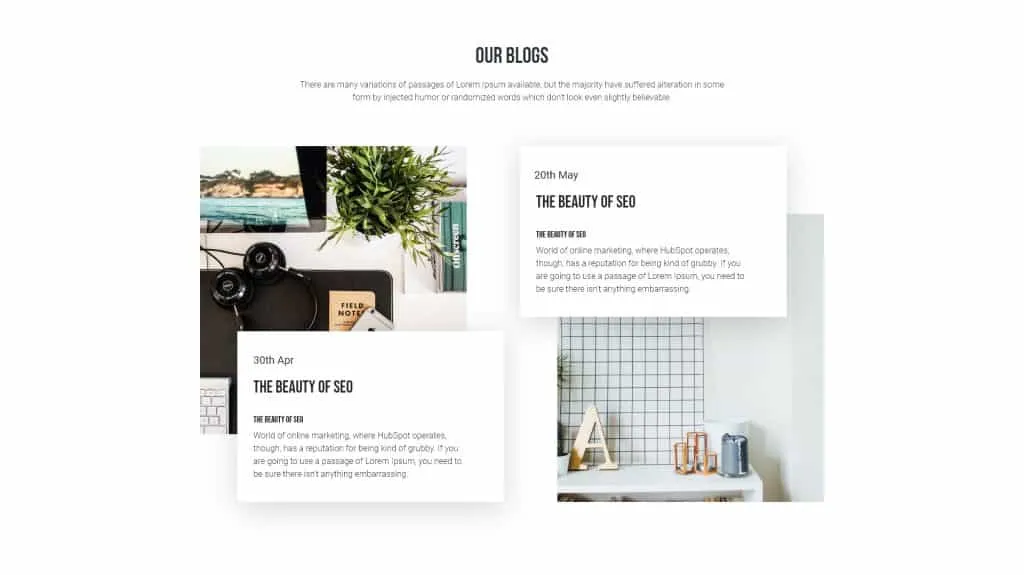
This is another elegant block for the blogging category. It shows two posts side by side with replaced image positions. This block will allow you to load post dynamically from your preferred category.
Your readers will get an overview of the whole post summary from the thumbnail.
Conclusion
Give your blogging a big boost with these new blocks. In later time we will introduce more blocks and exciting features. Till then stay with us and let us know your thoughts through the comment box below.
Written by
Parvez
July 11, 2019
Founder of ThemesGrove and a tech veteran with deep experience across WordPress, products, and web platforms.
Related reading
NEWS & UPDATES
WidgetKit for Elementor Is Now 100% Free
We've made WidgetKit for Elementor completely free. All 55+ widgets — including the LMS and WooCommerce elements and 20+ ready templates — are now yours at no cost, with no Pro tier and nothing locked away.

NEWS & UPDATES
HelpGent: Reimagining Modern Communication System with WordPress Using HelpGent
Technology has made it easier to communicate with each other, but it has lost its meaning over time. While it has become more accessible, it has also become less personal, leading to a lack of human touch in our interactions. With HelpGent, you can bridge the gap between technology and personalized communication. This powerful tool…

NEWS & UPDATES
Themesgrove is Celebrating 20 Years of WordPress!
In May 2003, a revolutionary platform was born that would transform the way we create and manage websites. WordPress, the brainchild of Matt Mullenweg and Mike Little, has come a long way since its humble beginnings. Over the past two decades, WordPress has grown from a simple blogging platform to the world’s leading content management…