
Introducing WPOnepager 2.4 with All-new Popup Modal, Page Export & Import Option, Template Menu and Much More
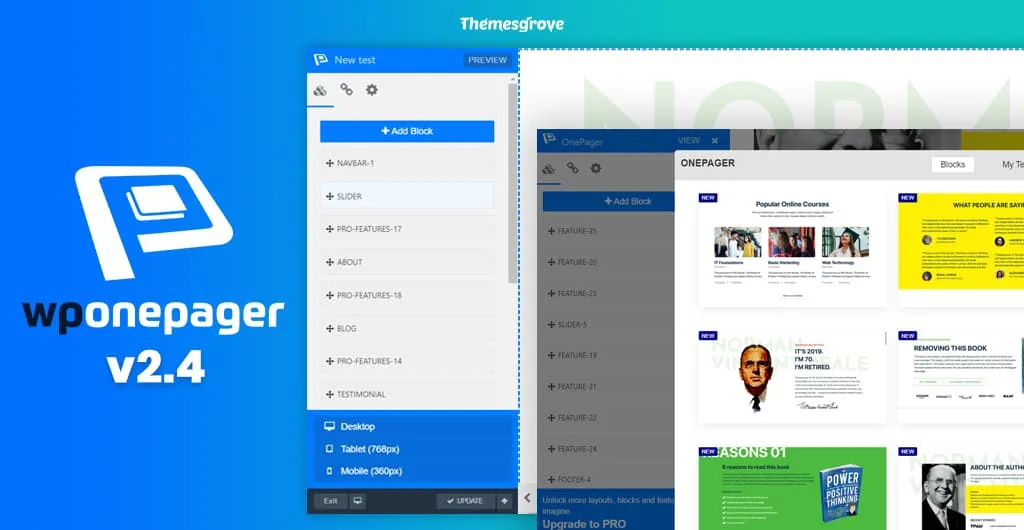
Hey there! We are back again with another release of WPOnepager, the easiest WordPress landing page builder ever created. WPOnepager is growing, and every version of WPOnepage contains something new and extraordinary features and updates to make your development more comfortable and faster. In this continuation, today, we are proudly introducing WPOnepager 2.4 with all-new…
Shifat Jaman
Hey there! We are back again with another release of WPOnepager, the easiest WordPress landing page builder ever created. WPOnepager is growing, and every version of WPOnepage contains something new and extraordinary features and updates to make your development more comfortable and faster.
In this continuation, today, we are proudly introducing WPOnepager 2.4 with all-new page export and import, template menu, popup modal, Google map block, and many more awesome features and updates for both pro and free versions of WPOnepager.
Let’s explore what comes with the all-new 2.4 versions of WPOnepager. Trust me; you will love it.
- Popup Modal to Insert Blocks to Page
- Page Export and Import
- Template Menu for Save Templates
- Responsive Check Panel for Builder
- Google Map Block
- WooCommerce Block
- Changelog
- Wrapping Up
Popup Modal to Insert Blocks to Page
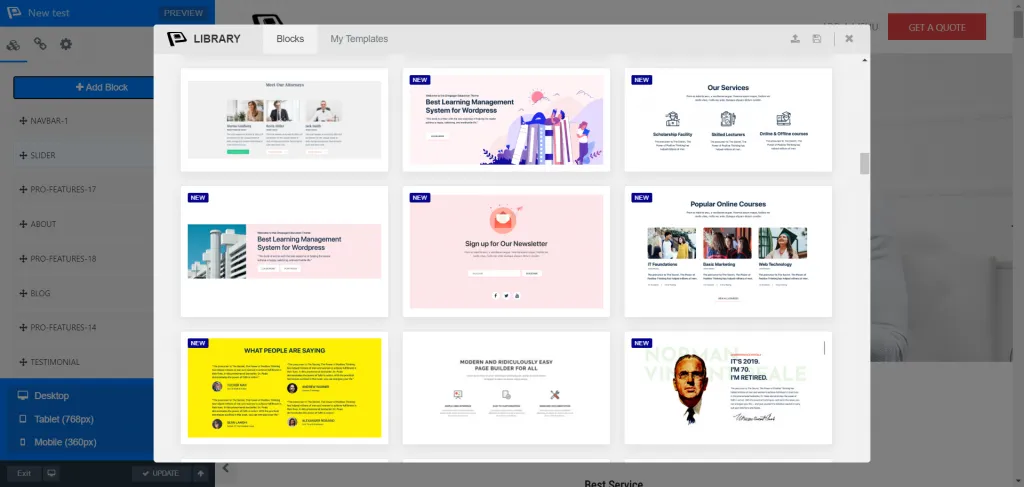
In the first version of WPOnepager, we introduced a sidebar for selecting blocks and applying changes and options. While through the time WPOnepager updated a lot and in the latest version of WPOnepager 2.4, we have brought a popup modal for the first time to get things done more efficiently.
You will get two excellent options for adding blocks; insert from Block or insert from My Template. Either Upload save file which you made before and save as JSON file or Import from the library. Also, save a ready designed page in the My template library directory. You can insert, export, import, delete, even merge multiple-page or block at the same template or page.
The filtering option by category saves your valuable time and improves your productivity for sure while making any template or design any page with the existing blocks. In previous, the changes just bounded with just a message, but now everything happens only in front of your eyes.
The link menu and page setting remain the same in the sidebar. You will get an excellent looking view and present your stuff nicely with the all-new pop up modal of WPOnepage 2.4. Also, it is useful for decision making.
Page Export and Import
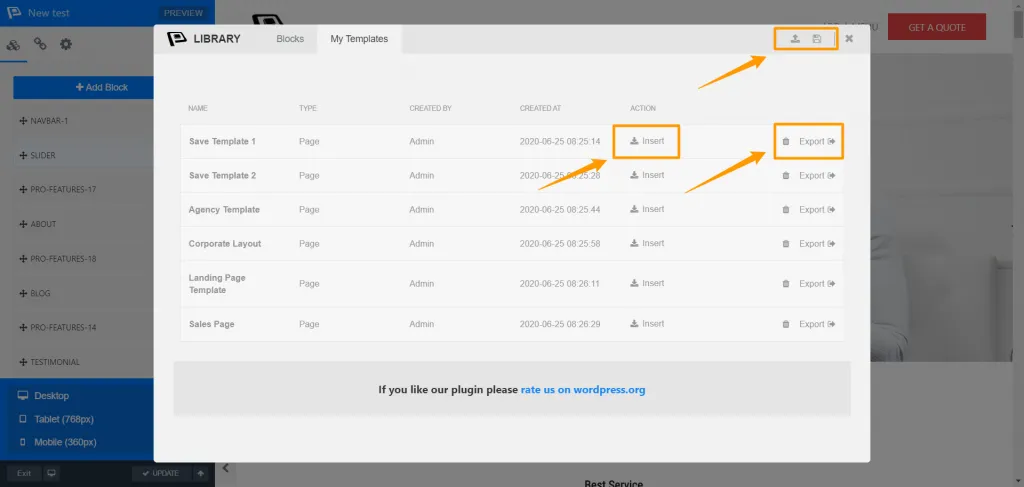
We already introduced page settings in the previous version of WPOnePager, where you bring a specific change in a page. In the new updated version, you can easily export and import any ready page or your preferred modified one. Export any pages for further use, and import them when you need them.
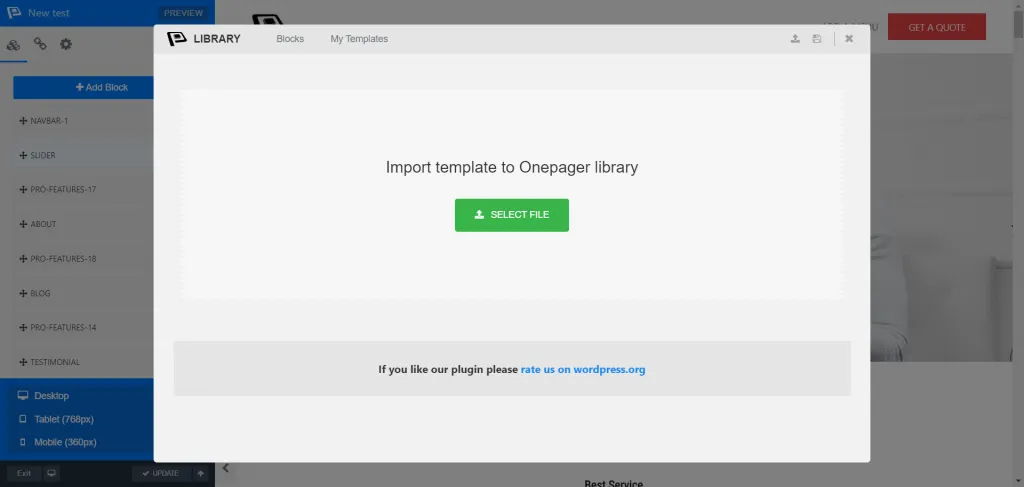
You can directly save any page or block to my template option or save/ import it to the desktop as a JSON file. After then, from the Dashboard’s add the new option, you can easily import the JSON file. But the ultimate possibilities belong in the template menu. From creating a new one to introduce, export, delete, and reuse the saved one, do whatever you want.
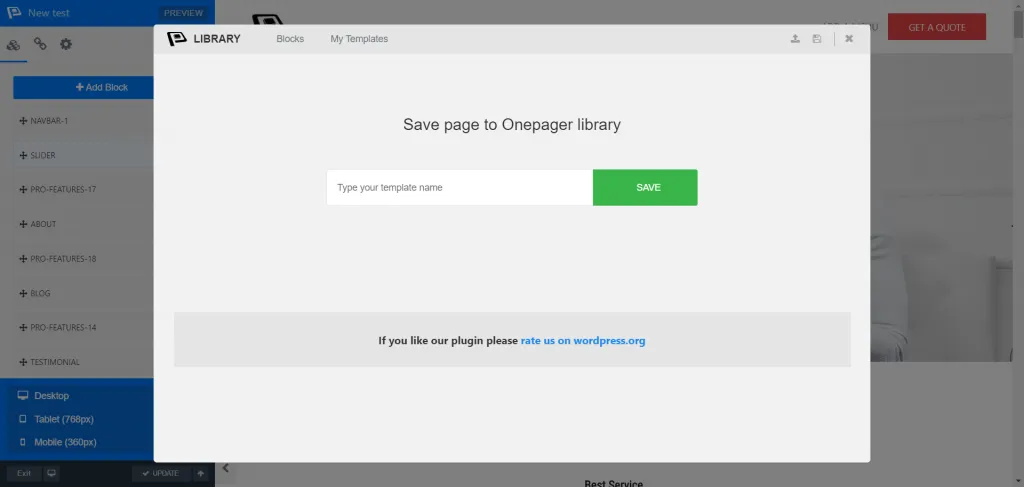
Get the pages as it was before after importing them. One thing is sure that you do not need to do the same task twice as well as no need to spend your time on making a page over and over. Just take the ultimate advantages of page export/import with the all-new WPOnepager 2.4 version.
Template Menu for Save Templates
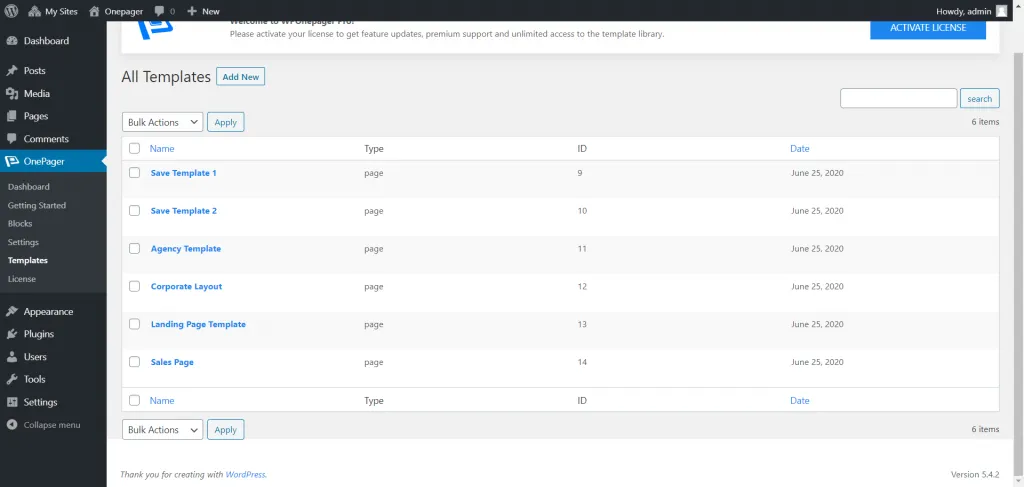
The all-new template menu or my template option brings some new possibilities for you. Now, you can save your existing work of page or template design in my template menu with different names and use them afterward just by inserting them.
When you click to insert an alert pop up appears to take confirmation from you. After then your inserting page or template will merge automatically with the existing block if there are some. Therefore, you can easily combine multiple pages with blocks at the same time.
Responsive Check Panel for Builder
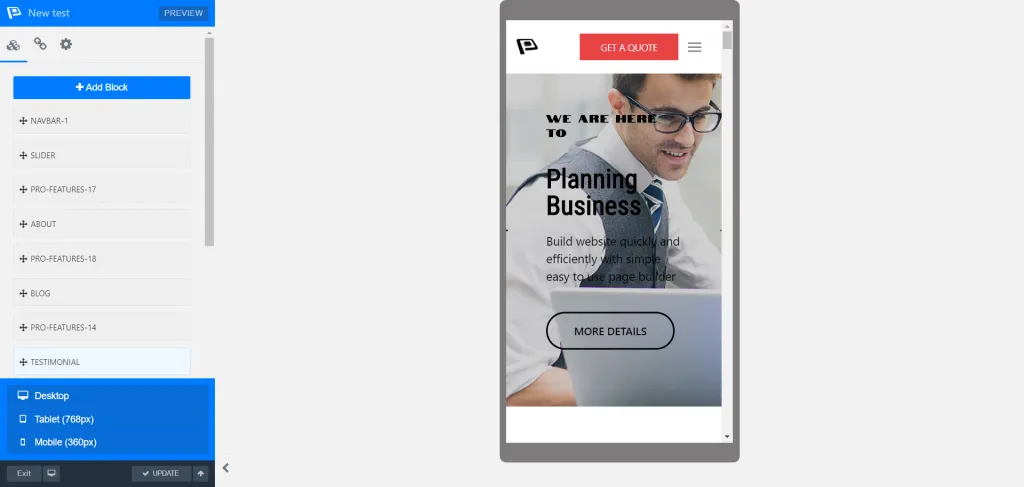
The all-new WPOnepager 2.4 comes with a dedicated, responsive check panel where you can check the responsiveness of your designed page for the mobile, tablet, and desktop. From the live site, you can quickly check the responsiveness without leaving the site.
This thing ensures smooth page design with device responsiveness at the same time. Just click the device you want to be checked about, and if there are some issues, fix those issues instantly. Therefore, you do not need to worry about the device’s responsiveness further.
Google Map Block
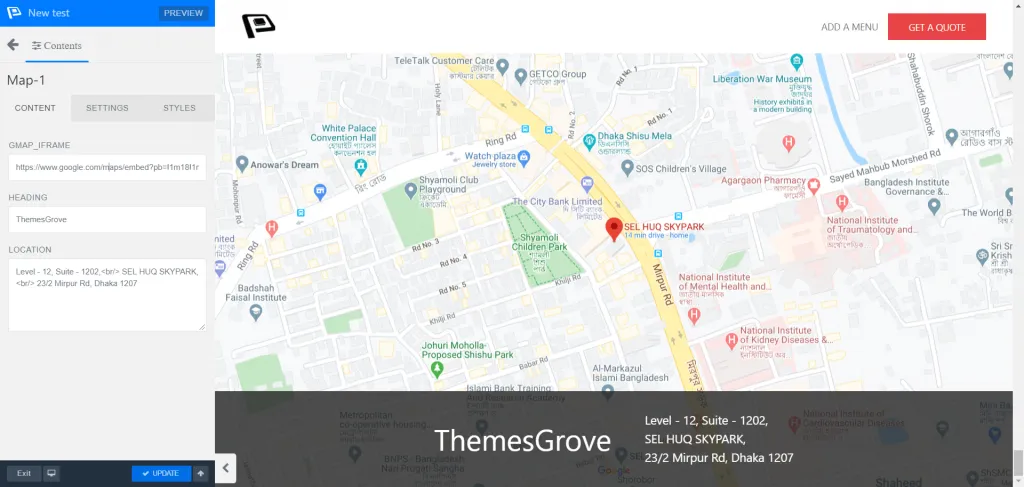
Now you can easily integrate Google map to your block or on the page with the all-new Google map block of WPOnepager 2.4 version. All you have to do is just insert the iframe src link in the GMAP_IFRAME submission option from the block contents.
Once you add the Google map block, then in the content option, you have to insert the map iframe link, which you get from the Google map share option. Now, from the embed map option, copy the link address and paste the iframe src only. That’s it!
WooCommerce Block
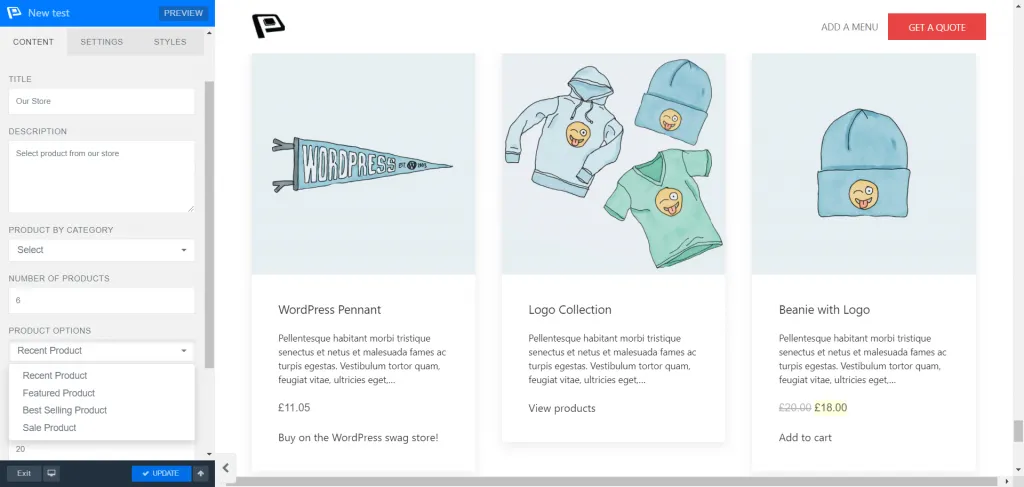
WooCommerce is the most common one of the most used e-commerce plug-ins for WordPress. To make sure of the best WooCommerce product showcasing experience, WPOnepager brings a dedicated Woocommerce block with its latest version for the first time.
It allows you to show your product by category, number, column, and four different product options where you can filter your product by recent product, featured product, best selling, and the selling product. Also, you can on/off the displayed price from the content option of the block.
Changelog
New – Popup modal to insert new blocks to a page.
New – Page and Section Save Option.
New – Export and Import option for any page and section.
New – Responsive check option.
New – Saved Template menu in dashboard.
New – Google Map block.
Update – WooCommerce block.
[
Get WPOnepager
](https://themesgrove.com/wp-onepager/)
[
Live Demo
](https://demo.wponepager.com/)
Wrapping Up
WPOnepager is not just a tool, it’s a time and effort saving WordPress landing page builder plugin for everyone. Choose the best deal for you and save your valuable time and money as well. And, don’t forget to share your valuable opinion about WPOnepager updates and your user experiences. We always appreciate your choice and value your opinion regarding our products.
Written by
Shifat Jaman
June 25, 2020
Contributor at ThemesGrove, sharing practical WordPress, WooCommerce, and web design insights.
Related reading

WPONEPAGER
How to Create a Multilingual WordPress Website with WPOnepager
Around 20% of the entire world’s population speaks English. This means there is a substantial untapped market just waiting to be discovered for your business or your website. You don’t want to lose that 80% native language speaking clients, right? If so, then this article is for you. In this blog, we will show you…
WPONEPAGER
Introducing WPOnepager 2.3.0 – With Page Settings, Education Layout and Ten New Blocks
In every aspect of life, we are trying to make your life easier. The contagious Novel Coronavirus is spreading everywhere. Yet we are working from remote so that you can take benefit from our work. Our goal is to present you with the ultimate page builder, which will allow you to develop instantly without any…

WPONEPAGER
Introducing Two New Startup Templates for WPOnepager Pro
We are continuously updating WPOnepager and with every update, we are releasing new blocks, templates, features and bug fixes. Our goal is to make WPOnepager unstoppable and to provide you the ultimate page builder which will allow you to develop instantly. We know the value of time and money, therefore we are trying our best…