
Introducing WidgetKit 2.0 With Brand New Elements & Updates
In the ending of 2019, we are here with a hot update for WidgetKit. It will not give you warm comfort in this winter but can undoubtedly boost your workflow. Yes, we are here with WidgetKit 2.0. It is now enriched with more elements, layouts, styles, and functionalities. With this update, you will be able…
Parvez Akther
In the ending of 2019, we are here with a hot update for WidgetKit. It will not give you warm comfort in this winter but can undoubtedly boost your workflow.
Yes, we are here with WidgetKit 2.0. It is now enriched with more elements, layouts, styles, and functionalities. With this update, you will be able to create new sections by using new elements. Besides, we have also brought updates to our old elements so that you can do more with the existing elements.
Along with WidgetKit, we have also brought an exciting offer for you. Check the offer from the end; till then, let’s see the details.
New Elements
Content Carousel Element
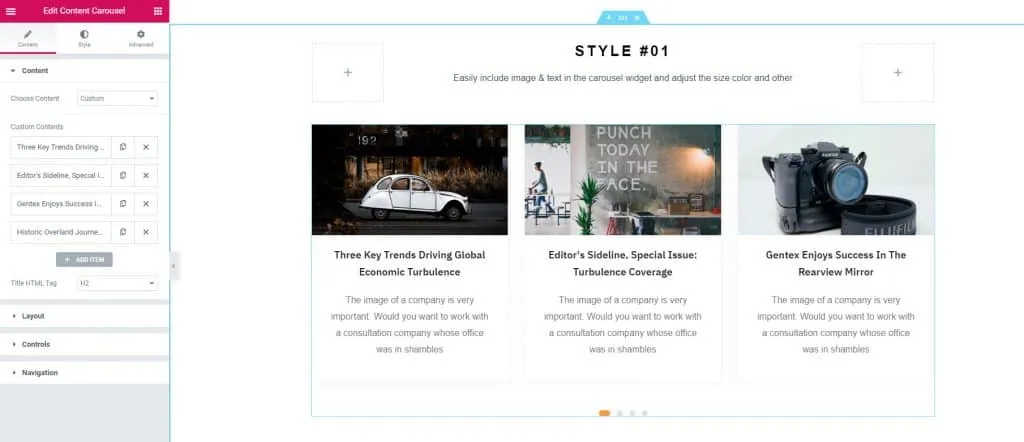
Content has a high impact on your site, and you can easily decorate your content in a unique way with WidgetKit. Use the Content carousel element and let your visitor get an overview of all contents instantly.
You can also hide the description and let your visitors pick their favorite content by watching the title. Or highlight any content in the middle of the section using the content carousel element.
There are various designs available for the content carousel element check it from below.
[
Content Carousel Demo
](http://widgetkit.themesgrove.com/content-carousel/)
Team Element
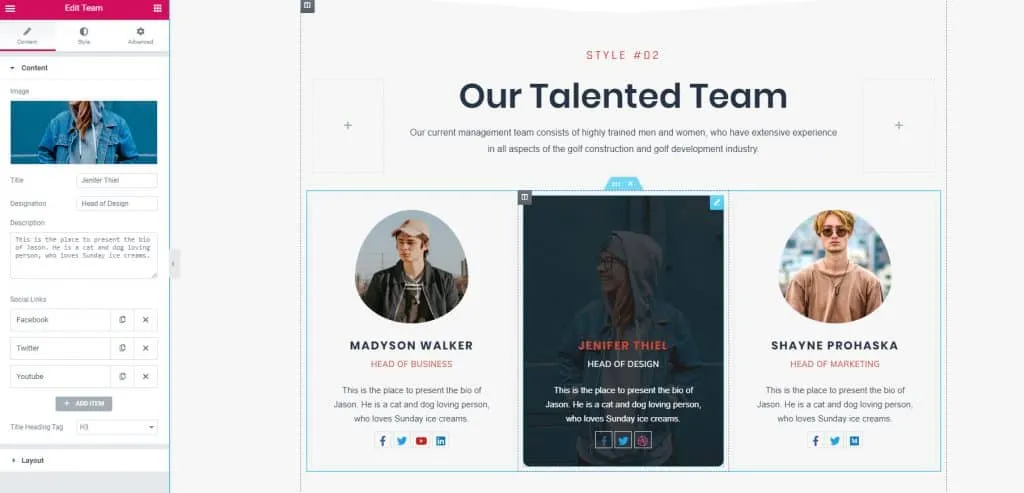
Every company or institute relies on its team members. While creating your site, introduce your team members in a brilliant style with WidgetKit. You can create numerous designs for your team with the team element.
All you have to do is insert the team element on your Elementor page editor and decide how you want to present your team. Then do it fast with the help of the Team element of WidgetKit.
[
Team Demo
](http://widgetkit.themesgrove.com/team)
Testimonial Element
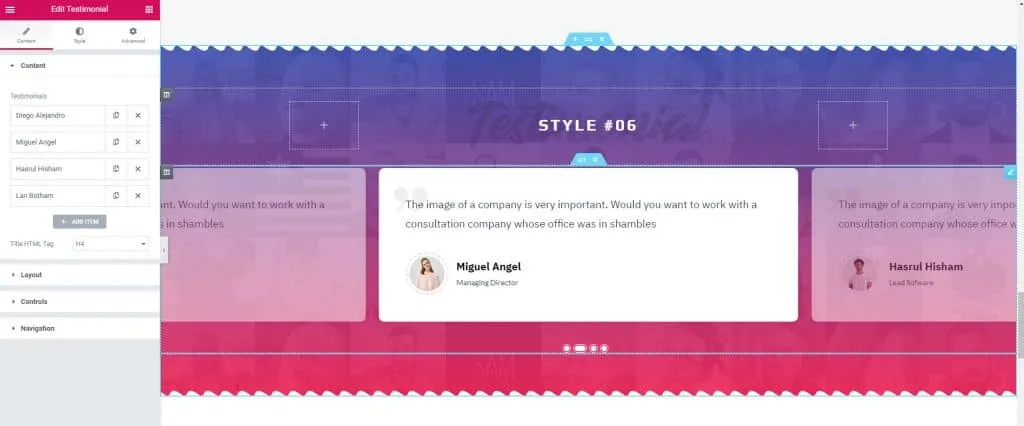
Trust is a huge factor for any business. If your visitors don’t trust you, they won’t buy anything from your site. To build trust with your visitors in a better way, WidgetKit offers you testimonial element.
Place your client’s testimonial as a social proof with the help of testimonial element. You can build different types of testimonial sections that are proven to create trust in the mind of your visitors.
[
Testimonial Demo
](http://widgetkit.themesgrove.com/testimonial)
Gallery Element
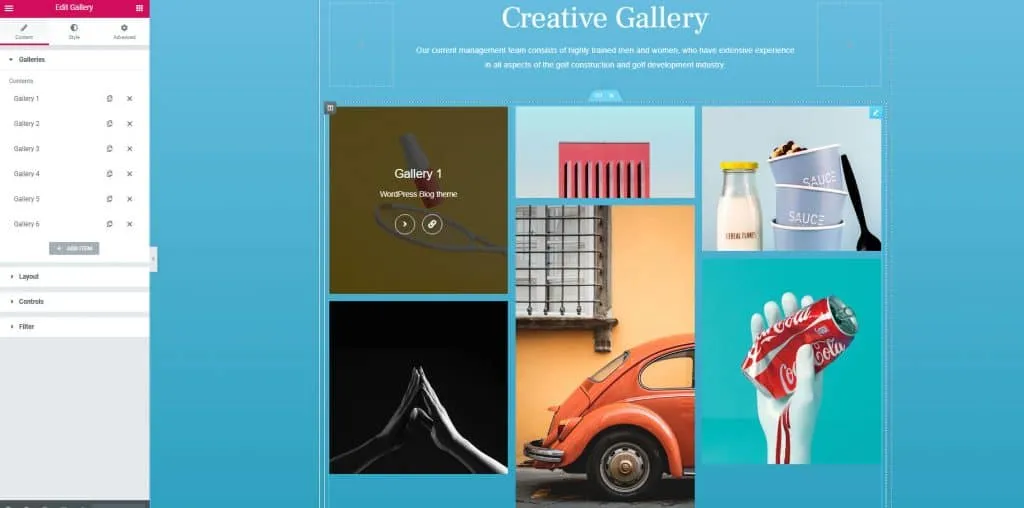
Showcase all your images at a highlighted spot with the help of the gallery element of WidgetKit. You must be thinking, “I have used gallery element before in Elementor, what difference it can be?”.
Well, to be honest, there is a lot of differences; you will not know it until you try. You will be able to represent your images in different ways with the Gallery element. You will be able to showcase your images using masonry layout, grid layout, full width layout and in the way you want.
[
Gallery Demo
](https://widgetkit.themesgrove.com/gallery/)
Updates
That’s not all with the WidgetKit 2.0. There are more changes in your favorite elementor addon pack. Let’s see.
Brand New Dashboard
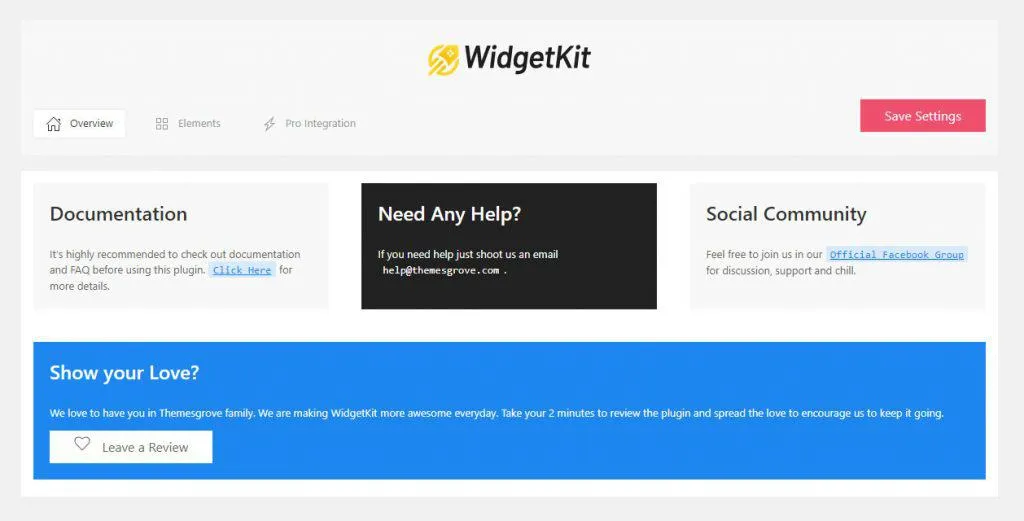
With version 2.0, WidgetKit has changed its look. You can directly check out the documentation, leave a review, and even can take support directly within the dashboard. You can always turn off the elements that you don’t need.
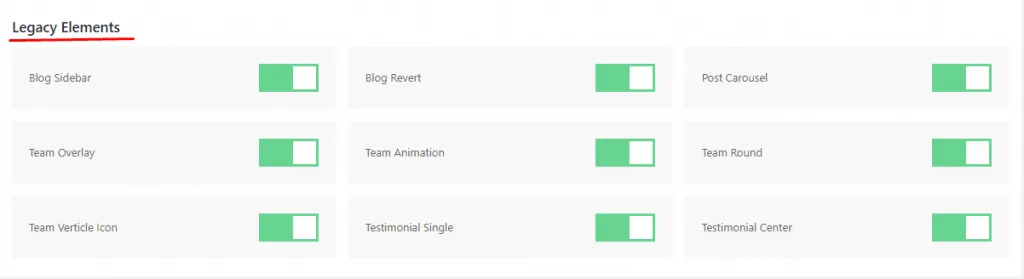
Legacy Elements: Currently, some elements are placed in the Legacy Elements. Now you can create your website with these elements, but we insist that you don’t use it.
All the functionalities and styles of legacy elements have been moved to the original element. Therefore you need not use legacy elements.
We value our clients, and therefore we don’t want your sites to get broken due to element update. For this reason, we have kept Legacy Widgets, and we request you to update your existing site with the main elements by replacing the legacy elements.
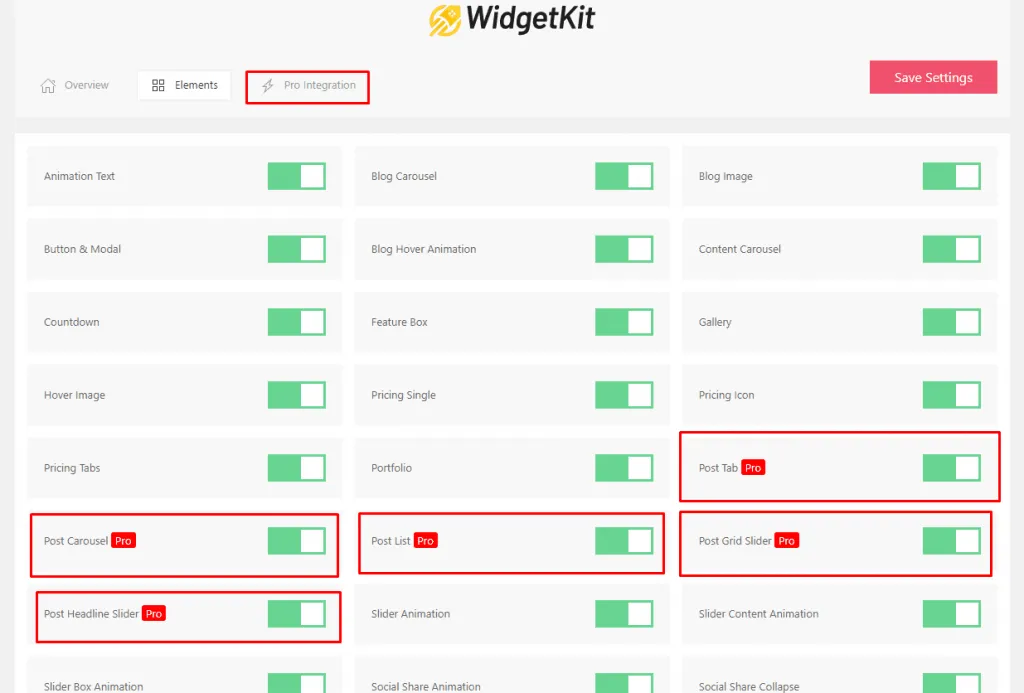
Advanced Elements: Advanced elements are now highlighted so that you can easily find and enable the element you want. The number of advanced elements has also increased.
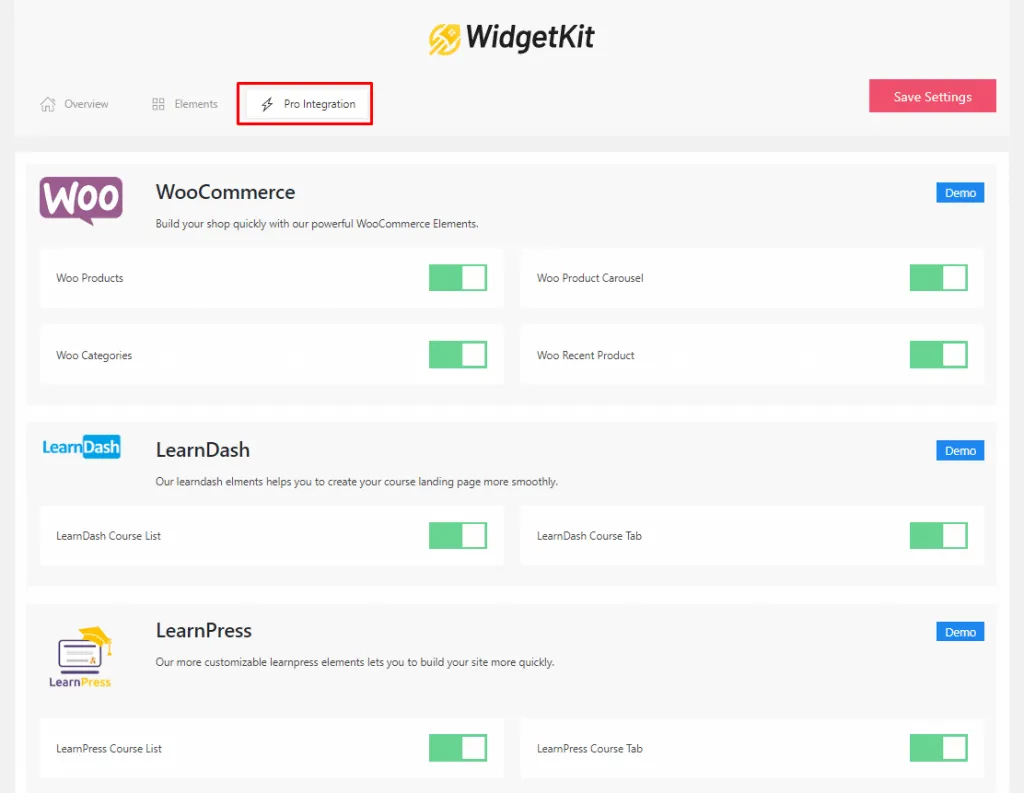
Integrations: Third-party integrations are placed on the “Integrations” tab. From one place, you will be able to check all the demo’s and enable your favorite integration with one click. Currently, there are integrations for WooCommerce, LearnDash, and LearnPress. In the future update, Sensei integration is coming.
Element updates & Fixes
In the WidgetKit 2.0, we have tried our best to provide you with the best elementor addon pack. For this reason, we have brought new elements and updated our existing elements as well. We have brought an update in the layout structure, style, and also in code.
All codes are now more optimized, and we ensure the performance that you demand from us. In version 2.0, pricing, button & modal, pros & cons, slider, and portfolio element is updated.
Previously some of our users reported an issue regarding WooCommerce integration. In this version, we fixed it. Now it will work flawlessly.
Black Friday Deal
The Black Friday Deal is on! Therefore save 40% instantly on every product of themesgrove, including WidgetKit. Just apply this coupon code “TGBFCM“, in before checking out. So Why wait get your Black Friday deal and develop in a brilliant way with WidgetKit.
[
Download Free
](https://wordpress.org/plugins/widgetkit-for-elementor/)
[
Save 40% on WidgetKit!
](https://themesgrove.com/widgetkit-for-elementor/)
Conclusion
Give your Elementor site a big boost and create section’s in a unique way with WidgetKit. More new elements, styles, and functionalities are on its way. Stay tuned and let us know your thoughts in the comment box below.
Written by
Parvez
November 25, 2019
Founder of ThemesGrove and a tech veteran with deep experience across WordPress, products, and web platforms.
Related reading

NEWS & UPDATES
WidgetKit for Elementor Is Now 100% Free
We've made WidgetKit for Elementor completely free. All 55+ widgets — including the LMS and WooCommerce elements and 20+ ready templates — are now yours at no cost, with no Pro tier and nothing locked away.

NEWS & UPDATES
HelpGent: Reimagining Modern Communication System with WordPress Using HelpGent
Technology has made it easier to communicate with each other, but it has lost its meaning over time. While it has become more accessible, it has also become less personal, leading to a lack of human touch in our interactions. With HelpGent, you can bridge the gap between technology and personalized communication. This powerful tool…
NEWS & UPDATES
Themesgrove is Celebrating 20 Years of WordPress!
In May 2003, a revolutionary platform was born that would transform the way we create and manage websites. WordPress, the brainchild of Matt Mullenweg and Mike Little, has come a long way since its humble beginnings. Over the past two decades, WordPress has grown from a simple blogging platform to the world’s leading content management…